
Short answer: For a visa appointment, follow the receiving authority’s document instructions first: some routes rely on online uploads, others scan paper at the appointment, and some allow either. Keep one clearly identified current flight document, compare it with the version already uploaded, and retain earlier versions only as labelled history. If an airline change alters dates, route, accommodation or purpose, use the authorised update channel rather than handing over contradictory copies.
You uploaded a flight itinerary, then the airline changed a segment before your appointment. The task is not to print everything again: first identify which version the authority received, whether the change affects the trip, and which document channel your appointment permits.
This guide helps you manage the submitted copy, any issuer-backed revision, and a private version log. It distinguishes upload-only, paper-scan and mixed appointment flows. Follow your own country and centre instructions; no single print-versus-upload rule applies everywhere.
Key facts
- There is no worldwide rule to print or upload a flight reservation. Use the checklist for the exact country, visa type and application centre.
- The UK’s UKVCAS route, for example, allows some supporting documents to be uploaded or scanned at the appointment; that is not a rule for all visa centres.
- A version log should identify the submitted copy, the current issuer-backed copy and the date or reason for a material change.
- Do not hand-edit an old reservation PDF or present two different travel plans as if both are current.
- A small schedule-time shift and a new destination or stay window can require very different responses; follow the authority’s correction instructions.
In This Guide
- The Real Appointment-Day Question Is Not “Do I Have A Flight Reservation?” But “Which Version Am I Handing Over?”
- Print First, Upload Smart: Building A Flight-Reservation Document Stack That Survives A Messy Appointment Day
- When Flight Schedules Shift Before Biometrics, Here Is What Actually Needs Replacing — And What Does Not
- The Flight Details Visa Staff Actually Notice On Your Itinerary Pages When Travel Plans Look Unstable
- Upload Portals, Scan Desks, And Embassy Windows Do Not Behave The Same — So Your Flight File Strategy Cannot Be One-Size-Fits-All.
- Do Not Let Your Backup Documents Contradict You: How To Carry Extra Flight Proof Without Looking Disorganized
- The Final 24-Hour Flight Checklist Before You Leave For The Visa Interview
- Walk Into Your Appointment With One Clear Flight File
Official-source check: GOV.UK’s UKVCAS guidance says supporting documents may be uploaded online or scanned at an appointment, and tells applicants what to bring when documents have not already been uploaded. UKVI upload guidance explains that the document channel depends on the application method and that separate partner sites may be used for visa application centres. These are examples of route-specific procedures, not universal instructions. Check your own appointment confirmation, checklist and upload deadline before preparing paper or changing a submitted file.
Reviewed for: appointment document-channel differences, version control, schedule-change triage, source PDF authenticity and post-submission handling.
The Real Appointment-Day Question Is Not “Do I Have A Flight Reservation?” But “Which Version Am I Handing Over?”
A visa appointment rarely falls apart because you forgot your flight reservation. It usually gets messy when the file in your portal, the PDF in your hand, and the airline update in your inbox no longer point to the same trip.
Why Flight Chaos Creates Document Confusion Even For Well-Prepared Applicants
Flight schedules move fast, especially on routes with tight connections or heavy seasonal demand. A Delhi to Paris Schengen visa applicant might upload an itinerary with a Doha connection on Monday, get a revised departure time on Wednesday, and print the older PDF by mistake on Thursday night. Now the travel plan exists in more than one version.
That is the real problem.
The visa center sees documents, not your intent. If your printout shows one departure time and your phone shows another, you may look disorganized even when the change came from the airline. The issue is not that your plan changed. The issue is that your file no longer tells one clear story.
This happens most often on routes like:
-
South Asia to Europe with Gulf transit points
-
West Africa to Schengen states with overnight connections
-
UK visitor visa trips built around specific entry dates
-
Canada temporary resident visa applications where the return timing supports your trip length
-
Long-haul trips with multi-leg outbound travel, where one shift affects every later segment
Once one leg moves, the rest of your documents can start drifting apart. Your cover letter may mention a Friday departure. Your uploaded reservation may still show Thursday. Your printed copy may show the same cities, but a new transit airport. None of those details looks major when you are fixing them at home. At the counter, they can make your application feel less controlled.
We also see confusion when applicants keep every version because they do not want to lose anything. That feels safe, but it creates a second risk. If you carry three polished PDFs that all look current, you are no longer presenting evidence. You are asking the reviewer to figure out which trip is real.
That is not where you want the burden to sit.
A clean appointment-day file starts with one rule. Only one flight reservation should function as your active version. Everything else should be treated as support, context, or proof of change. The moment you stop treating all versions as equal, the rest of your document decisions get easier.
The Difference Between “Primary Submission Copy” And “Support Copy” For Flight Proof
Your flight documents should not travel as one pile. They should travel in a hierarchy.
Your primary copy is the accurate version you intend to rely on at the appointment or through the portal. If an earlier version was already submitted, keep it labelled as submitted history. Do not assume a new paper copy silently replaces a portal upload.
Then you have your support copy material. These are not random extras. They are there to explain movement, confirm continuity, or rescue you if the desk questions timing.
A good support layer may include:
-
The airline schedule-change email
-
The earlier uploaded version, if it helps explain a revision
-
A second print of the current reservation
-
A phone-saved offline PDF of the current itinerary
-
A portal upload confirmation page or upload receipt, where available
The difference matters because these two document types do different jobs.
Your primary copy answers, “What is your current flight plan?”
Your support copies answer, “Why does this look slightly different from what was uploaded earlier?” or “Can you show the updated version clearly?”
That distinction keeps you from over-explaining too early.
For example, a UK Standard Visitor applicant flying from Lagos to London through Istanbul may have an updated outbound timing but unchanged travel dates. In that case, the current itinerary belongs in the main packet. The email showing the timing revision belongs behind it, not on top of it. If staff ask why the upload timestamp is older than the printed copy, you have a neat answer ready. Applicants in Nigeria can read our guide to hotel reservation for a visa from Nigeria.
The same logic works for Schengen, the UK, Canada, and other visitor visa files because the presentation problem is the same. You want the first document seen to be the strongest one. You do not want the first document seen to be a revision trail.
We should also be strict about what does not become a support copy. Loose screenshots, cropped booking pages, and half-visible mobile emails often create more confusion than help. If a support document cannot quickly confirm the current itinerary, it does not deserve space in your appointment folder.
When you organize your file this way, you stop carrying “everything related to the booking” and start carrying a document set with roles.
Why A Portal Upload Alone Is Too Fragile When Counters, Scanners, And Staff Work Differently
An upload confirmation shows that a file reached that channel. It does not tell you whether later changes were accepted into the case file.
Document handling differs by country, centre and application type. Some routes allow online upload, some scan supporting documents at the appointment, and others have specific deadlines. Read the appointment confirmation and receiving authority’s checklist before deciding what to print or upload.
That is why a portal-only mindset is risky.
Even when your upload succeeded, several things can still go wrong:
-
The file preview may be compressed
-
The wrong version may have been uploaded late at night
-
The document may open out of order in a merged PDF
-
The printed copy may show an update that the portal version does not
-
Staff may ask for a physical copy because that is what fits their intake flow
You do not control the desk process. You do control whether your current reservation is easy to hand over.
This matters even more when flight schedules are unstable. A Canadian visitor visa applicant flying from Delhi to Toronto through Frankfurt may upload one version before biometrics, then receive a new routing after an airline adjustment.
If the portal cannot be edited easily, the printed packet becomes the fastest way to show the most current plan. Without it, you are left trying to explain a moving target from your inbox.
An uploaded file can be overlooked by the applicant after an airline change. Compare the submitted copy with the current issuer document so you know whether a material difference needs authorised correction.
Treat upload, print and offline access as separate channels. Prepare only the channels your centre permits or requires, and make sure every copy is labelled with its version and status.
A strong visa file survives different handling styles. It survives a scanner, a quick desk review, a request for a second copy, or a follow-up question about timing. A portal upload alone is too brittle for that.
How To Think About Flight Proof As A “Live Document” Until The Appointment Is Complete
The biggest mindset shift is simple. Your flight reservation is not a frozen document once you upload it. It stays active until your appointment is done and your file has been accepted in its final form.
That means you should treat it like a live document.
A live document gets checked again the night before. It gets compared across all formats. It gets replaced when a change affects the trip materially. It does not sit untouched just because you printed it once.
This approach helps you make better calls under pressure.
Ask three practical questions:
-
Does this version still match my intended travel dates?
-
Does this version still show the same route logic I am presenting in my application?
-
Is this the cleanest version I can hand over today?
If the answer to any one of those questions is no, your document stack needs attention.
A live-document mindset also stops two common mistakes. First, it stops you from clinging to an old upload just because it was “already submitted.” Second, it stops you from printing a brand-new version without checking whether the rest of your file still aligns with it.
Think of a Schengen tourist visa case with a Rome entry and Paris exit. If your updated reservation changes the outbound transit city but keeps the same travel dates, you may only need a refreshed primary copy plus backup proof of the airline change. But if the new itinerary shifts your departure date and shortens the trip, your travel timeline may no longer match other parts of the application. That is not just a print issue. That is a file-consistency issue.
Once you start treating the reservation as live, you stop asking, “Do I have a flight PDF somewhere?” and start asking, “Which exact version represents my case right now?”
Print First, Upload Smart: Building A Flight-Reservation Document Stack That Survives A Messy Appointment Day
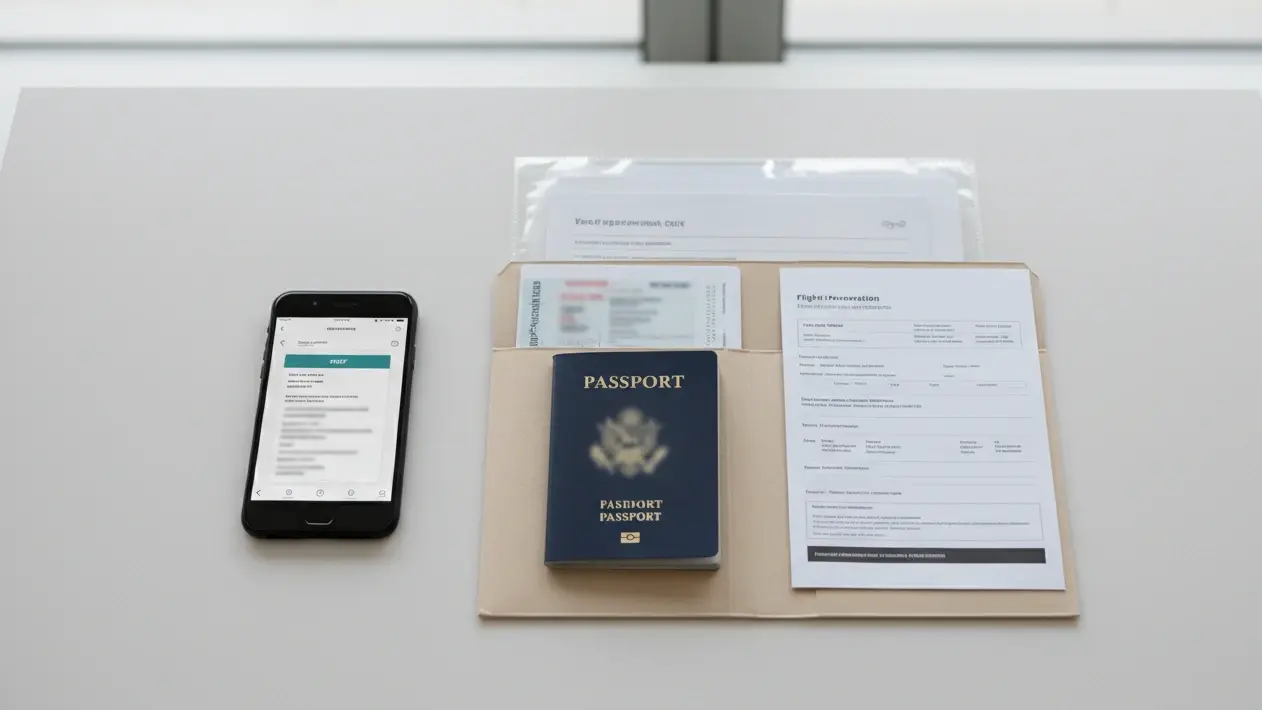
Once your current itinerary is clear, the next job is building a packet that works in real appointment conditions. You are not preparing for a perfect desk with perfect software. You are preparing for a busy visa center, a rushed document check, and a flight file that may still be moving.
Which Flight Copy Belongs in the Main Packet When Paper Is Accepted
If the appointment instructions require or permit paper flight evidence, bring one clearly current main copy. Keep older versions separately labelled as history. If the centre relies on uploaded documents, the uploaded version is the primary submitted copy until it is replaced through an accepted channel.
That copy should be the version you want a staff member to see first if they flip straight to your travel plan. It should match your application dates, your intended entry and exit pattern, and the trip logic used across the rest of your file.
For example:
-
A Schengen tourist visa file should show the route that supports the countries and travel dates already reflected in your cover letter or trip plan.
-
A UK visitor visa file should show the arrival and return timings that fit the length of stay you are presenting.
-
A Canada visitor visa file should show a reservation that lines up with the visit window already explained in your supporting documents.
-
An Australian visitor visa file should not suddenly show a different departure date from the one your leave approval or itinerary notes imply.
The print quality matters more than many applicants expect.
Your main copy should be:
-
Easy to read in black and white
-
Full page, not cropped from a mobile screenshot
-
Free of overlapping email headers or browser bars
-
Clear on passenger name, sectors, dates, and booking reference
-
Printed at normal scale, not shrunk into a corner of the page
Make names, local dates, airports and booking status readable. A clean layout helps a reviewer, but presentation cannot fix an incorrect or expired record.
Keep this copy inside your main document order, not loose at the back of the folder. If your packet has dividers, place it under the travel section. If your center uses loose document intake, keep it positioned where you can hand it over without searching.
A paper copy may help where the centre accepts or scans documents at the desk. It is not a substitute for a mandatory upload or a deadline that has passed.
Which Flight-Related Items Belong In Your Backup Sleeve Rather Than Your Main Bundle
Your backup sleeve is where you keep flight material that may become useful, but should not lead the conversation.
That matters because too many applicants put every flight-related paper into the main stack. The result is clutter. The current reservation gets buried under revision emails, portal screenshots, duplicate PDFs, and airline notices that do not need to be seen first.
Your backup sleeve should sit behind the main packet or in a separate transparent folder. It should contain only items that can solve a problem fast.
Useful backup flight items usually include:
-
One extra print of your current reservation
-
The airline schedule-change email if a recent update affected timing or route
-
The earlier uploaded itinerary, only if the difference needs explaining
-
A portal upload confirmation page if your visa platform shows file submission status
-
A simple note with your file name or version date so you know which PDF is final
-
A printed copy of any reissued itinerary page if only one segment has changed
What should stay out of this sleeve?
-
Random inbox printouts that do not clearly relate to the final itinerary
-
Screenshots with partial passenger details
-
Multiple old reservation versions with no visible reason to keep them
-
Handwritten correction sheets, unless necessary
-
Every airline email you received during the week
The backup sleeve works best when it behaves like a controlled toolbox. You should know exactly what is inside it and why each item exists.
A good way to organize it is this:
-
Front: extra print of the current reservation
-
Middle: schedule-change proof, if relevant
-
Back: older uploaded version, only where it helps explain a mismatch
This order matters in real appointments. If the intake desk says, “Do you have the latest version?” you can pull the current extra print instantly. If they say, “This upload looks older,” you can reach for the supporting change notice next. That is much better than flipping through a mixed bundle while the staff waits.
Your backup sleeve is not there to impress anyone. It is there to keep control if the appointment moves off script.
What To Upload Even When You Fully Expect To Show Paper At The Appointment
Do not assume paper will be accepted merely because you attend in person. The required channel is set by the application route.
Some processes use uploaded evidence, some allow scanning at the appointment, and some require particular originals. GOV.UK’s UKVCAS instructions illustrate one route; they do not govern Schengen, Canada or Australia. Check the relevant centre’s current directions. For the wider date-planning decision, see BookForVisa’s appointment and flight-date guide. This article focuses on the physical and digital handover of the same travel proof.
That means your uploaded flight file should be built with the same care as your printed copy.
Upload a file that is:
-
Clearly named
-
Easy to open
-
Readable at normal zoom
-
Free from duplicate pages
-
Consistent with your current intended trip
A strong file name helps more than people realize. Something like Flight-Itinerary-Paris-Trip-May-2026-Final.pdf is easier to track than scan123-new-latest-final2.pdf.
If your portal allows only one flight upload, use one clean PDF rather than several fragmented pages. If you need to combine documents, keep the order deliberate:
-
Current itinerary first
-
Supporting change notice second, only if relevant
-
Avoid stacking multiple full itineraries unless the portal specifically requires it
You should also check the uploaded file after submission, if the system allows a preview. Sometimes the issue is not the document itself. It is the way the portal renders it. Small text, cut-off margins, or rotated pages can turn a valid reservation into a frustrating upload.
A printed copy can save you at the desk, but it does not replace poor upload hygiene. If the embassy or processing team later reviews the digital file, you want them to see the same travel plan you intended to present in person.
Your uploaded flight file and your printed master copy should feel like twins, not cousins. They can have minor support differences if timing changes after upload, but the trip logic should still match cleanly.
When It Makes Sense To Use A Fresh Verifiable Reservation Rather Than Recycle An Older File
A new issuer document can be sensible when the original booking expired or material details changed. Do not create an extra version only to make a minor schedule adjustment look dramatic.
This usually makes sense when the older file has become awkward to defend on presentation alone. The booking may still look usable to you, but the document stack around it has changed too much. Dates shifted. Transit points changed. The upload is stale. The print quality is poor. Or the itinerary now requires too much explanation at the desk.
A fresh reservation is often the better option when:
-
The original outbound or return date changed
-
Your transit city changed, and now affects route credibility
-
The old PDF prints badly or hides key details
-
The reservation you uploaded no longer matches the trip window in your file
-
You are close to the appointment and need one clean version that can anchor everything else
That does not mean replacing a file every time a small timing change appears. It means recognizing when patching the old version creates more friction than starting clean.
For a Schengen applicant traveling from Mumbai to Rome with a transit in Abu Dhabi, a 25-minute departure adjustment may not justify rebuilding the reservation set. But if the itinerary now routes through a different airport and shifts arrival to the next calendar day, carrying forward the older version can create unnecessary doubt. A new, verifiable reservation may present much better.
If a genuine change requires fresh travel proof, check BookForVisa’s current service terms for status, validity, price, verification and permitted date changes. A BookForVisa flight reservation costs $15 per person, with a PNR valid for 48–72 hours and free date changes within the same day of booking; check the PNR on the airline’s own site before you submit. If your centre calls a temporary reservation a dummy ticket, confirm exactly what is issued and never label an unticketed hold as a paid fare.
The key point is not where the reservation comes from. The key point is whether the file you carry now does a better job than the one you are trying to rescue.
When a fresh reservation becomes your new master copy, treat it properly. Upload it where possible. Print it cleanly. Move the older version into backup only if it helps explain an earlier submission. Do not let both versions compete for attention in the main file.
When Flight Schedules Shift Before Biometrics, Here Is What Actually Needs Replacing — And What Does Not

This is where many otherwise solid visa files become messy. A flight change before biometrics does not always mean you need a brand-new document set, but it does mean you need to judge the change correctly.
A Minor Time Adjustment Is Not The Same As A Route Collapse
Not every airline update deserves the same response.
If your original Schengen reservation showed Delhi to Milan via Doha departing at 03:10, and the airline moves it to 03:55 on the same date with the same transit and same arrival day, that is usually a timing adjustment. Your trip still points to the same plan. The country entry point is the same. The travel window is the same. The route logic still supports the visa file you prepared.
That kind of change usually does not force a full rebuild.
But if the airline replaces Delhi to Milan via Doha with Delhi to Milan via Istanbul, or shifts the arrival to the next day, the change is no longer cosmetic. The trip now reads differently. Transit conditions change. Airport sequence changes. Arrival timing changes. That can affect how the visa officer or intake staff read the credibility and structure of your journey.
We should separate flight updates into two groups.
Minor schedule movement usually includes:
-
Departure time changes on the same date
-
Arrival time shifts that do not alter the travel day
-
Slightly longer or shorter layovers in the same airport
-
Flight number changes where the route itself stays intact
Material flight change usually includes:
-
New departure or return date
-
Different transit country
-
Different transit airports within the same region, if timing or routing changes meaningfully
-
Swap from direct to connecting, or connecting to direct
-
New arrival day
-
Different departure city or arrival city
-
A broken connection that creates an overnight transit
Take a UK Standard Visitor case as another example. If your reservation for Delhi to London Heathrow via Dubai now departs two hours later but still lands in London the same evening, your travel proof may only need a supporting update. If the new routing lands in London Gatwick the next morning, that is not the same presentation anymore. It may still be fine for travel, but it is not the same document story.
The mistake applicants make is reacting emotionally instead of proportionally. A small shift feels urgent because it arrives close to the appointment. A major shift can look manageable because the cities still sound familiar. Both reactions cause trouble.
The right question is not, “Did the airline send an update?”
The right question is, “Did the update change the trip I am asking the visa office to believe?”
If the answer is no, you may only need a controlled note or support document.
If the answer is yes, you are moving into replacement territory.
When a Material Flight Change Calls for an Accepted Update
A materially changed trip may need updated evidence, but the old upload cannot always be replaced immediately. Check the portal deadline and the authority’s accepted update channel before acting.
This matters most in visa files where the travel timeline supports the whole application.
For example:
-
A Schengen tourist visa often depends on a clean sequence of entry, travel period, and exit.
-
A Canadian visitor visa may rely on a return pattern that supports the claimed visit duration.
-
A UK visitor file may need travel dates that still fit the purpose and timing of the visit.
-
An Australian visitor application may be read against leave dates, family visit timing, or event travel dates.
A replacement may be needed when the change affects the travel dates, destination, planned stay or other facts in the application. The authority’s instructions—not a universal checklist—determine whether a new PDF should be uploaded, brought to the desk, or supplied only on request.
-
Travel date changed
-
Entry date changed
-
Exit date changed
-
The transit country changed
-
Arrival airport changed
-
Departure airport changed
-
Layover now looks unusually long or fragmented
-
The reservation no longer matches the dates already reflected elsewhere in the file
A route change across visa-relevant transit points deserves special attention. Suppose your original itinerary for a France visa showed Mumbai to Paris via Abu Dhabi. Then the airline reissues it through Cairo with a long overnight connection. That is no longer just an updated flight. It is a new travel structure. If your uploaded file still shows the earlier route, the gap is large enough to create friction.
The same goes for return-date drift. If your original Canada visitor reservation showed a 14-day trip and the new file shows 11 days, you may need more than an updated PDF. But the first step is still obvious. The old reservation should not remain your active uploaded version if you can replace it.
Where the portal allows editing, replace the file.
Where the portal does not allow editing, print the updated reservation and carry supporting proof that the change came later.
Do not assume a reviewer will ignore a meaningful mismatch. Explain the actual change concisely, provide issuer documents through the accepted channel, and keep unrelated pages out of the correction.
A useful threshold is this: if the updated reservation would make you rewrite your trip dates in a cover note, then it deserves to replace the old PDF.
That rule catches more real problems than applicants expect.
When A Printed Add-On Explaining The Change Is Better Than Rebuilding Your Whole Packet
A small airline time or flight-number update may be explained with the carrier notice when that is sufficient for the receiving authority. A changed travel window or destination may require a revised reservation and other affected documents.
This works best when the travel structure is still intact, but one visible detail changed after upload.
Good candidates for a printed add-on include:
-
Same outbound and return dates, but revised departure time
-
Same route, but different flight number
-
Same cities, but adjusted layover duration
-
Same itinerary logic, but the airline sent a reissued timing notice after your upload deadline
In those cases, you can carry a short supporting piece behind the updated reservation.
That support piece might be:
-
The airline’s schedule-change email
-
A one-page reissued itinerary notice
-
A brief typed note stating that the airline revised the timing after upload, with the latest itinerary attached
For example, consider a Spanish Schengen visa applicant traveling from Chennai to Barcelona via Doha. The route stays the same. The return date stays the same. The departure time shifts by 70 minutes after the appointment slot is already booked. Rebuilding the whole packet adds noise. A cleaner solution is:
-
Updated the current reservation in the main set
-
Airline timing-change proof behind it
-
An older upload version is kept in backup only if needed
That is enough.
The same approach can work for a UK visitor visa file where the arrival airport and dates remain stable, but the outbound flight number changes after a reissue. If the travel case still reads the same, a compact explanation is stronger than a full packet rebuild that introduces fresh room for inconsistency.
We should also be selective about the explanation format. Long self-written letters about airline behavior usually do not help. A short factual note is fine. The reservation itself should still do most of the work.
A practical support note can stay as simple as:
-
Original flight reservation uploaded on [date]
-
Airline revised departure timing on [date]
-
Updated itinerary attached and reflects the current travel plan
That is enough to connect the dots without sounding defensive.
What you want to avoid is rebuilding too much around a minor change. Every extra reprint creates another chance for mixed dates, duplicate pages, and wrong document order. A one-page clarification often protects the file better than a full reset.
The Quiet Risk Of Carrying Two Valid-Looking Itineraries That Point To Different Trips
Two flight documents that appear equally current can confuse the case. Label the previously submitted version and the actual current version; never present a superseded booking as active.
This happens a lot when the older uploaded version still looks neat, and the newer printed version also looks neat. Because both are readable and both seem legitimate, applicants keep both in the main packet “just in case.” That creates a conflict the moment someone notices the differences.
Imagine a German Schengen visa file showing:
-
One itinerary: Delhi to Frankfurt via Doha, departing June 8
-
Second itinerary: Delhi to Frankfurt via Abu Dhabi, departing June 9
Both PDFs may have the same passenger name.
Both may have a booking reference.
Both may look polished.
But together, they do not strengthen the file. They weaken it.
The danger is quiet because no single page looks wrong on its own. The contradiction only appears when the reviewer compares them. At that point, the problem is no longer airline volatility. The problem is that your file seems undecided.
The fix is strict document role control.
Use this rule:
-
One itinerary gets authority
-
One itinerary gets demoted to background support, or removed entirely
If the older one matters only because it was uploaded first, keep it in backup and only show it if staff question the difference.
If the older one no longer helps explain anything, take it out of the appointment set.
Do the same with your phone files. Many applicants save every version and then open the wrong PDF at the counter. Rename your current file clearly. Archive or move the older one into a separate folder. Do not let “final,” “final-new,” and “latest-final” compete on the same screen when someone asks for the itinerary.
This is especially important on routes with multiple transit-heavy alternatives, such as South Asia to Europe, West Africa to the UK, or Africa to Canada through Gulf hubs. On those routes, one changed connection can produce a document that looks like a completely different trip.
If the itinerary changes, retain the issuer notice and identify which version was supplied through which channel. You may need this record if the authority asks why two dates appear in its file.
Version-control card: Keep a private note with four fields: document filename, issuer or airline, date created, and the authority channel that received it. Mark one version “submitted”, one “current for travel”, and older versions “history—do not present as current”. If those two active versions differ materially, check whether the authority permits a replacement upload, appointment submission or later requested correction.
The Flight Details Visa Staff Actually Notice On Your Itinerary Pages When Travel Plans Look Unstable
Once a flight file starts feeling unstable, staff do not read every line the way you do at home. They scan for the parts that reveal whether your travel plan still looks coherent under pressure.
Why Transit Country, Layover Length, And Airport Codes Matter More Than Applicants Expect
Visa staff often review itineraries quickly. That means they look for markers that tell them whether the route makes sense at a glance. Transit country, layover length, and airport codes do that job fast.
A Schengen file is a good example. If your reservation shows Delhi to Amsterdam via Jeddah on one version and Delhi to Amsterdam via Doha on another, the city names may feel close enough to you because both still reach the Netherlands. At a document desk, those are not interchangeable details. They show two different routing structures.
Transit country matters because it changes how the itinerary reads. It affects the logic of the trip. It can also change whether a route looks routine or unusually indirect for the visa type and destination.
Layover length matters for the same reason. A short transit often looks straightforward. A 13-hour airport wait on a visitor visa file may raise more attention, especially if the rest of the trip is only a few days long. That does not make the itinerary wrong. It makes it more noticeable.
Airport codes become important because staff may read them before they read the full city name.
Common examples that trip applicants up:
-
CDG and ORY are not the same arrival point for Paris
-
LHR, LGW, and STN do not present the same London arrival picture
-
FCO and CIA do not mean the same Rome entry
-
YYZ and YTZ are different Toronto airports
-
MXP and BGY change how a Milan trip looks on paper
If your cover letter, trip notes, or mental plan say one thing but your printed itinerary shows a different airport code, the mismatch becomes visible very fast. Many applicants miss this because they focus on country names and dates, while the desk sees airport codes first.
Transit structure also matters more on routes from South Asia, Africa, and the Middle East because applicants often travel to Europe, the UK, or Canada through hub airports. One changed transit airport can make the route look more complex than the original plan. If you are applying for a French Schengen visa and your itinerary now routes through a different hub with a much longer layover, that detail stands out even if Paris remains the destination.
You should read your itinerary the way a rushed staff member would:
-
Entry point
-
Transit point
-
Layover duration
-
Final arrival airport
-
Return route
If those details still form one clean line, your file reads better. If they create visual noise, the itinerary starts working against you.
Multi-City And Open-Jaw Trips Need Cleaner Presentation Than Simple Return Routes
A simple return ticket is easy to review. A multi-city or open-jaw itinerary asks more from the page. That is why these routes need a much cleaner presentation.
Suppose you are applying for a Schengen visa with a route like Mumbai to Rome, then Paris to Mumbai on return. That is not unusual. It can fit a genuine European trip well. But on paper, it requires staff to understand that you plan to arrive in one Schengen city and leave from another. If the itinerary pages are messy or if the airport names are not easy to read, the route can look incomplete instead of intentional.
The same applies to a UK visit combined with onward travel from another airport within the same city region. A reservation that arrives at London Heathrow but returns from London Gatwick may be perfectly fine. It just needs to be visibly organized so the two-airport structure does not look accidental.
Multi-city presentation gets weaker when:
-
One leg appears on a separate page with no obvious connection
-
The city names are readable, but the airport codes are tiny or cut off
-
The outbound and return are shown in different formats
-
Transit details are visible on one leg but missing on another
-
The passenger name line appears only on the first page, making later legs feel detached
If your itinerary is more complex than a basic round trip, the printed layout matters more than ever. The goal is not to simplify the route. The goal is to make the route easy to follow.
That usually means checking:
-
Whether all legs appear in the same PDF
-
Whether dates move in a logical order
-
Whether each sector is fully visible on the page
-
Whether the final return sector still links clearly to your home city
A Canadian visitor visa file can have the same problem. Consider an itinerary that arrives in Vancouver and returns from Toronto after domestic travel. That may fit the trip. But if the printout buries the return page or separates it from the passenger details, staff may spend extra effort piecing it together. That is avoidable.
The more your trip departs from a clean out-and-back route, the less room you have for poor formatting. A multi-city itinerary can still work smoothly at the visa stage, but only if the page makes the route obvious without narration.
Why A Different Return City Or Extra Transit Stop Can Trigger More Questions At The Window
A different return city changes how your trip looks, even when the destination region stays the same. An extra transit stop does the same thing. These features are not problems by default, but they do increase the chance that someone at the desk pauses on your itinerary.
For a Schengen application, arriving in Madrid and returning from Barcelona can fit a normal tourism plan. But if your supporting travel plan is light or your reservation printout is not clear, the route invites a closer look. Staff may want to confirm that your trip still feels internally consistent.
That same issue appears in UK and Canada cases.
Examples:
-
Lagos to Manchester, return London to Lagos
-
Delhi to Toronto via Frankfurt, return Montreal to Delhi via Munich
-
Dubai to Sydney, return Melbourne to Dubai
These are not unusual trips. They simply ask the file to do more work.
An open-jaw or different return city may be entirely sensible. Explain the actual movement only where the form, itinerary or checklist needs it; do not assume every desk treats it as suspicious.
An extra transit stop can create the same effect. One-stop routes are common. Two-stop or three-segment long-haul reservations can still be fine, but they present a different visual impression. They look busier. They also give staff more details to compare across versions.
A France visa itinerary that changes from:
-
Delhi to Paris via Doha
to
-
Delhi to Paris via Doha and Madrid
may still reach the same destination on the same date. But the trip has become more layered. That makes the page more sensitive to formatting errors, timing confusion, and inconsistent airport labels.
This is where applicants should be careful not to rely on verbal explanations. You do not want to say, “It is basically the same trip.” If the document does not support that claim visually, the explanation loses force. It is better to make sure the itinerary itself shows the route clearly.
You should pay attention to return-city and transit complexity if:
-
Your trip duration is short
-
Your route changed close to the biometrics
-
Your printed file contains any older version in backup
-
Your destination is visa-sensitive due to tight timelines or event travel
-
Your return city differs from the original uploaded reservation
The more layered the route becomes, the more staff will lean on the page details instead of assumptions.
The Booking Code, Passenger Name Format, And Date Presentation Issues That Make A PDF Look Weak
Some itineraries lose credibility because of small presentation flaws, not because the travel plan is poor. Booking code visibility, passenger name formatting, and date style are three of the biggest examples.
Start with the booking code.
If your reservation includes a clear PNR or booking reference, it should be easy to spot. A printout where the code is faint, cropped, or buried in a header makes the itinerary look less usable. The same goes for PDFs where the booking reference appears only on one page, while the flight sectors sit on another page without obvious linkage.
Passenger name format is another quiet issue. Airline-generated documents do not always display names elegantly. That is normal. But your itinerary should still let staff connect the booking to the applicant without strain.
Problems appear when:
-
The surname is truncated
-
Middle names appear on one version and disappear on another
-
Honorifics or initials are inconsistent across pages
-
The name line is too faint to read on a printed copy
-
The PDF cuts off the passenger field on mobile-generated exports
This matters especially in countries where passport naming formats already create tension between systems. A UK or Schengen applicant from South Asia may already have a long passport name or compacted surname format. If the flight PDF prints poorly, that can make a valid reservation look untidy.
The date of the presentation creates its own risk. Different systems use different styles:
-
06/07/2026
-
07 Jun 2026
-
2026-06-07
A staff member can usually interpret them, but confusion grows when one document uses day-month format, and another uses month-day format. That becomes more noticeable on routes close to month boundaries or when the departure and arrival cross midnight.
For example, a reservation printed as 05/06/2026 is less immediately clear than 05 Jun 2026, especially in mixed international processing environments. If your uploaded PDF uses one style and your printed copy another, the itinerary can feel less stable than it really is.
A strong flight PDF should make these essentials obvious:
-
Passenger name
-
Booking reference
-
Full route
-
Travel dates
-
Airport codes
-
Departure and arrival times
Readable files reduce avoidable ambiguity, but do not claim a visa desk will slow, reject or challenge an application just because a PDF needs zooming. Correct genuine legibility issues before submission.
Upload Portals, Scan Desks, And Embassy Windows Do Not Behave The Same — So Your Flight File Strategy Cannot Be One-Size-Fits-All.
A strong flight reservation can still cause friction if it reaches the wrong system in the wrong form. The practical problem is not only what your itinerary says, but how that same file behaves when a portal compresses it, a scan desk reorders it, or an embassy window wants something visible in seconds.
Why “Already Uploaded” Does Not Always Mean “Already Usable”
An upload receipt confirms a technical submission, not that every later document change was incorporated. Save the exact file and receipt for your records.
A Schengen applicant may upload a clean Paris itinerary through the visa center portal and receive a successful submission message. Then the desk agent on appointment day may still ask for a printed reservation because the portal view is not part of their live intake workflow. In a UK visitor visa case, the upload may sit inside the system correctly, but the person checking your packet may still rely on what is physically in front of them. In a Canadian or Australian file, later review may happen digitally, but the appointment itself may still depend on a readable paper version.
That difference matters.
“Uploaded” only confirms that the file entered the system. It does not confirm that:
-
The correct version was uploaded
-
The file opens clearly on the other side
-
The page order stayed intact
-
The staff member in front of you will use the upload first
-
The upload still matches your most current flight plan
Preview the final PDF after any portal compression or merging when the service provides a preview. If it is unclear or cropped, follow the platform’s correction procedure before the deadline.
Common problems include:
-
Margins cut too close to the booking reference
-
The passenger's name appears faint in the preview
-
Multi-page itineraries opening with the return leg first
-
One page uploaded upside down after conversion
-
A merged PDF that shows the airline email before the actual itinerary
Those are not theoretical issues. They affect how quickly your flight proposal can be understood.
A France Schengen file with a current itinerary and a later schedule notice may make perfect sense in your folder. If the upload shows the schedule email first and the itinerary second, the file looks less direct. A UK application with a readable printout may still feel messy if the digital version opens in the wrong order and the airport code is clipped in preview.
A usable flight file should be readable in the format accepted by the authority. If it was already uploaded, do not assume paper can automatically override it.
How To Name, Merge, And Store Flight Files So You Can Prove Consistency Fast
When flight schedules are moving, file organization becomes part of your visa strategy. The goal is not just neatness. It is speed and consistency under pressure.
Start with file naming.
A file name should tell you what it is without opening it. This matters most when you have more than one itinerary version on your phone, in your email, and on your computer.
Good file names usually include:
-
Purpose
-
Destination or route
-
Travel month or date
-
Status marker
Examples that work better:
-
Schengen-Flight-Itinerary-Italy-June-2026-Current.pdf
-
UK-Visit-Flight-LHR-May-2026-Final.pdf
-
Canada-Visitor-Flight-Toronto-July-2026-Updated.pdf
Examples that create trouble:
-
latest.pdf
-
new final.pdf
-
scan 4.pdf
-
ticket updated final latest 2.pdf
When an intake desk asks, “Can you email the latest reservation?” or “Can you show the updated itinerary?” you should not have to guess which file is current.
Merging is just as important. If your reservation needs to sit with one supporting schedule-change notice, combine them only when the order helps the reader. The itinerary should lead. The explanation should follow. If you reverse that order, the first page becomes context without a base document.
A practical merge order is:
-
Page 1 onward: current full itinerary
-
Final page only if needed: airline change notice or brief support proof
Keep only the current itinerary in the primary upload unless the authority requests a change history. Archive older versions and label any issuer notice that explains the transition.
Storage matters too.
Keep one folder labeled for the appointment and place only your active files there. Do not leave old and current versions mixed in downloads or your phone’s general documents folder. If you must keep older files for reference, archive them into a clearly marked secondary folder.
A simple structure works well:
-
Visa Appointment
-
Current Flight Itinerary PDF
-
Support Change Notice
-
Upload Confirmation Screenshot or PDF
-
-
Older Flight Versions
-
Prior uploaded version
-
Airline draft emails
-
Superseded PDFs
-
This separation helps most when you face a same-day question. A Schengen applicant heading to Spain does not want to open three different Barcelona files at the counter. A UK applicant should not be scrolling through six Heathrow PDFs to find the one that matches the printed copy. The cleaner your storage, the faster you can prove that your upload, printout, and backup all point to the same trip.
What To Keep Offline On Your Phone Even If You Plan To Submit Paper Only
A paper-first strategy still needs a digital fallback. The reason is simple. Visa centers are not controlled environments, and flight files sometimes need to be shown again after your printed packet has already been handed over.
Your phone should carry a small, focused offline set. Not your whole inbox. Not every screenshot. Just the items that can rescue a flight-file issue quickly.
Keep these offline:
-
The current flight reservation PDF
-
One supporting schedule-change file if there was a recent update
-
A screenshot or PDF of the upload confirmation, where available
-
A duplicate of the exact file you printed
The word offline matters. Do not depend on logging into email, airline accounts, or visa portals from the waiting area. Network issues, app timeouts, password prompts, and weak Wi-Fi are common appointment-day problems. A file saved only in cloud storage is not a real backup if the connection fails when you need it.
This becomes especially important on time-sensitive routes. A Canadian applicant flying from Nairobi to Toronto via Frankfurt may need to show the current itinerary again if the desk notices a difference in times.
A UK visitor applicant from Dhaka may need to pull up the latest PDF when the print quality on one page is too faint. A Schengen applicant from Accra may need to confirm that the uploaded route and printed route match after a recent schedule notification.
Your offline files should also be easy to identify without opening each one. Rename them clearly before saving to the device. If your phone allows folder creation, make one appointment folder with only the live documents.
Keep the file format simple. PDF is best because it opens consistently and preserves layout better than screenshots. Screenshots can still help for upload confirmation or a portal success page, but the itinerary itself should stay as a proper document, where possible.
There is another reason to keep the printed file and the phone file identical. If the desk says, “Please send us the same itinerary by email,” you do not want to attach a different version by mistake. The phone copy should mirror the active paper copy as closely as possible.
When the Centre Requests a Same-Day Digital Copy
If the centre asks for a same-day file, use the latest unedited issuer PDF and confirm the destination address or portal before transmitting it.
Some centres permit an additional digital copy at the appointment; others do not. Do not email travel documents to an unverified address. Follow the centre’s official instructions or a specific staff request through an authenticated channel.
A scan of a printed copy can preserve annotations or page order, but the original issuer PDF is usually clearer. Never let a scan hide the current booking status or replace an accepted upload without permission.
If an earlier itinerary is already uploaded and a newer one is accepted at the desk, keep both versions in your private log and provide a short factual explanation of the airline change when asked.
For UK, Canadian and other applications, use the procedure specified for the exact route. A local desk may have no authority to accept a last-minute email, even if a staff member can view the file.
A useful approach is:
-
Print the final itinerary set
-
Scan that exact set into one clear PDF
-
Save it to your phone offline
-
Give it a distinct file name that shows it matches the paper version
That way, if staff request a same-day email, you are not rebuilding the packet while standing at the counter. You are forwarding the exact document already in use.
Do Not Let Your Backup Documents Contradict You: How To Carry Extra Flight Proof Without Looking Disorganized
The risk is not the number of backups in your private folder; it is presenting conflicting versions as equal evidence. Keep a clear current copy and a separate history.
The Best Order For Presenting Flight Documents When You Are Asked For More Than The Basics
Follow the intake order requested by the centre. If the staff asks for travel proof, present the current accepted copy and explain any earlier submitted version only when it matters.
Your presentation order should stay simple.
Use this flow:
-
Current flight reservation first
-
Support document second, only if the desk notices a mismatch or asks for clarification
-
Older version last, and only if it explains an upload-history issue
That order works because it keeps the current trip in control.
Take a Schengen tourist visa appointment for Italy. Your uploaded file may show an older reservation from Bengaluru to Rome via Doha, while your printed current version now shows the same dates with a revised transit time. If the staff member asks, “Do you have the updated flight copy?” the answer should be the clean current itinerary. Not the airline email. Not the upload receipt. Not the older PDF. The current itinerary must speak first.
The same approach fits a UK Standard Visitor application. If your Heathrow reservation was updated after online submission, and the desk notices the upload timestamp is earlier than the print date, you still do not start with the explanation. You start with the active flight reservation that reflects the visit you are presenting that day.
This is where many applicants go off track. They panic and hand over everything at once:
-
The current itinerary
-
The old itinerary
-
The airline email
-
The PDF from their phone
-
The portal upload screenshot
That does not look thorough. It looks unsettled.
A busy visa center desk does not want to sort your flight history. It wants to understand your current travel plan and then verify why a detail changed, if needed.
If paper is accepted, the first page of a flight document should identify the traveler, route and dates. Do not impose a particular page order where the centre gives its own instructions.
You should also match your response to the question asked.
If the desk says, “Do you have your flight reservation?” hand over the current reservation only.
If the desk says, “This looks different from the uploaded one,” then add the support proof.
If the desk says, “Can you show the earlier version?” then bring out the older itinerary from backup.
That sequence keeps you in control and keeps the staff member from trying to decide which of your own documents matters most.
Supporting Documents: How To Separate “Helpful Backup” From “Confusing Overload”
Backup material is useful only when it makes the file easier to understand. The moment it creates comparison work for the reviewer, it stops helping.
That line matters a lot in flight-related visa files because airline changes create a natural temptation to keep every version “just in case.” For a Schengen applicant flying from Accra to Madrid through Casablanca, or a Canadian visitor applicant traveling from Delhi to Toronto through Istanbul, it is very easy to collect multiple clean-looking PDFs over one week. The problem is not having them. The problem is treating all of them as if they deserve equal visibility.
Helpful backup has one clear job. It solves a likely question.
Confusing overload does the opposite. It creates new questions that were not there before.
Helpful backup usually looks like this:
-
One extra print of the current flight reservation
-
One schedule-change email or airline notice
-
One earlier itinerary, only if it explains why the upload differs
-
One offline phone copy of the active PDF
Confusing overload usually looks like this:
-
Three or four complete itineraries from different days
-
Multiple screenshots of flight sectors with no context
-
Airline promotional emails mixed with actual schedule notices
-
Printed PDFs with different routes but similar dates
-
Separate pages showing fragments of the outbound and return
If you are carrying backups for a France visa appointment, ask yourself one question for each page: Would this page help a staff member resolve a real discrepancy in under ten seconds?
If the answer is no, it should not travel in the live folder.
This matters even more for routes where airport names or transit cities have changed. An applicant heading to Germany through Gulf hubs may have one reservation via Doha, a reissued version via Abu Dhabi, and a later timing adjustment on the original route. All three may look legitimate. But if only one of them represents the trip you are actually presenting, the other two are not equal backup. One may help explain a portal mismatch. The other may simply create noise.
We should also separate backups by visibility.
Use two layers:
-
Immediate backup for documents you may realistically need at the desk
-
Deep backup for documents that exist only to answer a specific follow-up
Immediate backup belongs in the same sleeve or pocket behind your main set.
Deep backup can stay in a separate section of the folder or on your phone, away from quick-access documents.
That way, if a UK visa desk asks a basic question, you do not expose the entire revision history while pulling one support page. You stay selective. That makes the file feel curated rather than crowded.
Why Schedule-Change Emails Should Support Your Reservation, Not Replace It
A schedule-change email is useful because it explains the movement. It is not useful as the main proof of your trip.
That distinction matters because airline emails often contain too much surrounding clutter. They may include marketing language, loyalty prompts, general booking text, or incomplete sector details. Even when the email is legitimate and relevant, it rarely presents the travel plan as clearly as a proper reservation PDF.
For a Schengen visa file, the reservation should still carry the route. The email should only confirm why a visible detail changed.
For example, if your Spain visa application originally showed Delhi to Barcelona via Doha, and the airline later sent an email saying the outbound timing was moved by 90 minutes, the email is not stronger than the updated itinerary. It is only support for it. The reservation still shows the cities, dates, and flight structure more clearly than the inbox message.
The same logic applies to a Canadian visitor file. If your Toronto booking changed flight number but not travel dates, the email alone is not a good front-page document. It may mention the change, but it may not display the whole trip in a clean visa-friendly format.
That is why schedule-change emails should sit behind the reservation, not in front of it.
They work best when:
-
The route is materially the same
-
The reservation has already been updated or reissued
-
The email clearly references the same passenger and booking
-
The change happened close enough to the appointment that the earlier upload may still show the old timing
They work badly when:
-
The email is the only readable evidence you brought
-
The reservation PDF is missing or outdated
-
The email shows only one sector, but not the full trip
-
The email thread is long and difficult to scan
-
The message opens with non-flight text before the actual change details
A practical way to use these emails is to print or save only the relevant portion. You do not need six pages of airline formatting if one page clearly shows the updated timing and booking reference. If the useful details begin halfway down the message, consider converting just the relevant portion into a cleaner PDF for backup. That makes it more useful at a visa desk.
You also want the email and the reservation to match in one obvious way. That may be:
-
Same booking reference
-
Same passenger name
-
Same route
-
Same travel date with adjusted time
If none of those links are easy to see, the email becomes weaker as support. In that case, it belongs deeper in backup, not near the top of your packet.
At the desk, the email should function like a bridge. It should help staff connect the earlier file to the current itinerary without asking them to reconstruct the trip from inbox fragments.
The Folder, Sleeve, And Page-Marking System That Makes You Look Prepared Instead Of Defensive
Physical organization affects how your flight file feels in the room. A calm, well-marked folder gives you speed. It also stops your body language from turning uncertain when the staff asks for one more page.
For flight-heavy visa files, a simple structure works best.
Use:
-
Main packet
-
Immediate backup sleeve
-
Secondary backup section
Your main packet should contain only the active flight reservation placed where it belongs in the visa document order.
Your immediate backup sleeve should contain the extra current copy and one key support document, such as the schedule-change notice.
Your secondary backup section should hold anything older or less likely to be needed.
If you prefer tabs or markers, keep them subtle. One small label that says Current Flight, another that says Flight Update, and a final one that says Earlier Version is enough. You do not need bright flags on every page. Too many markers make the file look anxious.
For a Schengen biometrics appointment, that structure lets you respond cleanly if the desk asks why the uploaded route differs slightly from the printed one. For a UK appointment, it lets you move from the current Heathrow itinerary to the relevant airline notice without exposing unrelated pages. For a Canadian or Australian file, it helps if the intake officer wants a clearer copy of the same reservation you already submitted.
Page-marking should help retrieval, not add commentary. Avoid writing long notes on the documents themselves. A handwritten paragraph about airline schedule instability rarely improves a flight reservation. It usually makes the page look improvised. If you need a note, keep it typed, short, and separate.
You should also think about handling speed.
Before appointment day, practice pulling these in order:
-
Current reservation
-
Support change notice
-
Older uploaded version
If that movement feels clumsy at home, it will feel worse at the desk.
The goal is not to perform. The goal is to avoid the moment where you flip through several similar-looking itineraries while trying to explain which one is current. That is when even a legitimate flight update can start feeling like a contradiction.
A controlled folder gives you another benefit. It protects you from saying too much. When the documents are organized, you can answer the question asked and stop there. You do not start narrating airline changes, route history, and upload timing unless the staff member actually needs that information.
The Final 24-Hour Flight Checklist Before You Leave For The Visa Interview
The last 24 hours decide whether your flight file feels controlled at the visa interview or starts looking inconsistent the moment someone checks the dates. At this stage, your goal is not to improve the itinerary.
Your goal is to make sure the reservation in your hand still matches the interview date, the scheduled date in your appointment system, and the rest of the required documents you plan to carry to the embassy or consulate.
The Night-Before Audit: Confirm That Your Printed Reservation, Uploaded File, And Phone Copy Still Match
Before the appointment, compare the current issuer record with the submitted copy and the rest of the visa file. A last-minute airline notice is a reason to check, not an automatic reason to replace everything.
Lay out three versions of the same reservation:
-
The printed copy you will carry
-
The uploaded file in the portal, if you can still view it
-
The offline phone copy you can open without the internet
Now compare the practical details that matter most:
-
Passenger name
-
Outbound date
-
Return date
-
Departure airport
-
Arrival airport
-
Transit point
-
Booking reference
-
Layover pattern
If you are attending a Schengen appointment, this matters when a route through Doha becomes a route through Istanbul or Abu Dhabi. If you are applying for the UK, Canada, or Australia, it matters when the reservation still shows the same cities, but the travel day or airport has changed. A file can look stable at first glance and still break down when the embassy or consulate compares it to the rest of your packet.
The rest of your packet matters here, too.
If you are traveling with a family member, spouse, or child, the flight reservation should still line up with any supporting relationship proof already in the file. That might include a birth certificate, a marriage certificate, custody papers, or a sponsor letter, where applicable.
If you are carrying a certificate, school enrollment proof, test records, transcripts, or another travel-timing document, the flight plan should not quietly drift away from those pages.
This is even more important when your file came together over several days. A parent may update the itinerary but forget that the travel window referenced in a child support document still points to the older booking.
A visitor from India may reprint the flight but leave a translated support page showing the earlier departure date. Those issues are easy to miss at home and much harder to fix at the consulate.
Use a strict review order.
Check whether the flight reservation still matches:
-
The stated intended date of departure
-
The intended period of stay
-
Any leave approval or sponsor note
-
Any school enrollment timing if a minor is traveling
-
Any registration confirmation tied to a visit or event
-
Any English translation attached to supporting civil records
You do not need every page to repeat the itinerary. You just need the travel timing to stay coherent across the file.
Check legibility of the name, airports, times and reference. If a field is unclear, obtain a clean issuer copy rather than editing the PDF or relying on a polished layout.
Before you sleep, make one final decision about what counts as the active version. Save that PDF in one folder, remove older duplicates from easy access, and make sure your phone copy mirrors the same page order as the printout.
If you need to submit additional documents later, you want to know exactly which flight file anchored the original packet.
The morning of the appointment is when panic causes bad decisions. A new airline email arrives, and suddenly, applicants start re-printing half the folder without checking whether the change really altered the trip.
Start by identifying the type of change.
A same-day, same-route time adjustment may not need a full rebuild. Keep the airline notice and check whether local calendar dates, connections or other evidence changed.
A changed airport, destination, transit country or travel date can affect the declared plan, but the significance depends on the route and visa category. Reconcile the actual change before submitting a replacement.
A useful morning check is this:
-
Has the outbound day changed?
-
Has the return day changed?
-
Has the airport changed?
-
Has the route become longer or more fragmented?
-
Does the new itinerary still match the rest of the packet?
That last question matters most. A new flight file may still be perfectly fine for travel, but if it no longer lines up with the file you are carrying, then it is not ready for the appointment.
Think through common situations.
A Schengen applicant may wake up to an email showing the same Paris trip but through a different hub. A UK visitor applicant may see the same London visit but with a new arrival airport. A Canada file may show the same Toronto visit, but one day shorter on return. An Australian visitor may see a reissued outbound that now lands the next day.
Those are not all equal.
Minor timing shift:
-
Usually carry the current reservation
-
Add the airline notice as backup
-
Do not rebuild the packet unless the printed page is now misleading
Material route or date shift:
-
Update the main reservation if possible
-
Make sure the phone copy matches
-
Keep the earlier version only as background support
-
Do not present the older route as if nothing changed
You should also check any appointment-related basics before leaving. Make sure the visa fee payment receipt is where it belongs if your center expects it. Make sure the fee record, any payment confirmation, and your appointment notice are not mixed into the flight section. They do not explain the itinerary, but they often sit in the same folder and create clutter when the desk asks for the flight file.
A morning-of change is not an automatic visa problem. Identify the current trip, preserve the notice, and follow the authority’s instructions for material corrections rather than flooding the file with versions.
What To Do If The Embassy or Consulate Counter Says Your Flight Document Is Outdated, Unclear, or Missing
If staff says a flight document is outdated or unclear, ask which accepted channel can carry an updated issuer copy. Present the current version and give a concise factual explanation if needed.
A calm order helps:
-
Present the current printed reservation
-
Show the matching phone copy if needed
-
Add the airline update only if the desk questions a discrepancy
-
Bring out the earlier version only if someone asks why the upload differs
The intake employee may not decide the case. Follow the receiving authority’s document procedure and preserve a record of anything accepted at the appointment.
Keep your answer factual.
If the issue is clarity, use the duplicate print or the sharper phone PDF.
If the issue is timing, show the active reservation and then the support notice.
If the route differs from the upload, state the real reason and date of change. Do not say the airline changed it unless the carrier actually did.
This is also the point where extra family paperwork can matter indirectly. If your file includes a child travel packet with a parent authorization, custody proof, or school record, you do not want the flight dates to contradict those pages.
If your file includes a sponsor arrangement, property tie, or home country reason for return, the travel window should still support that logic. If the desk notices a different return date, the problem can spread beyond the flight page.
Be especially careful with supporting pages that require English translation. A translated civil record that references one travel date while the active reservation shows another can make the packet look split between old and new versions. The same applies if a relationship document was prepared around one timeline and the flight file was quietly moved later.
Provide only requested additional documents through the designated route and keep a record of what was sent. Do not send a whole private folder to an unofficial email address.
A clear handover cannot guarantee a visa result. It can reduce avoidable confusion and leave an accurate record of what was submitted.
After Submission: Keep Your Final Flight File Pack Intact Until A Decision Is Issued
Once the appointment ends, resist the urge to reorganize everything immediately. Keep your final flight file pack intact until the case is resolved.
That pack should include:
-
The exact printed reservation you presented
-
The matching active PDF
-
Any support page you used for the airline update
-
The uploaded version, if it differed
-
The scanned copy of the final paper set
-
Any appointment confirmation tied to that packet
If the authority asks for clarification later, the saved submitted file, issuer revision and any accepted update receipt will help identify exactly which version is in the case.
Keep the final set in one clearly labeled folder and leave it untouched.
That is especially useful when the file includes linked documents such as civil records, sponsor pages, school enrollment support, or other time-sensitive evidence.
If follow-up becomes necessary, you can respond with the same travel framework you already used, instead of rebuilding it from memory or mixing it with newer drafts.
Walk Into Your Appointment With One Clear Flight File
Use one accurate current flight file, know what was previously uploaded, and keep supporting notices labelled. Bring paper or offline copies only as your appointment instructions permit, and use an authorised update channel when the trip changes materially.
The goal is not to look polished at the counter; it is to present one truthful travel plan with a traceable version history, whether evidence is uploaded, scanned or supplied later on request.
If your itinerary carries a scannable code, see our guide to QR codes on printed bookings and how officers verify them.
Need a replacement flight reservation after a real route or date change? Check BookForVisa’s current validity, verification and change terms, then follow the authority’s update procedure.
Review flight-reservation optionsFrequently Asked Questions
Must I print a flight itinerary if I uploaded it?
Not universally. Your appointment instructions may say uploaded documents need not be brought again, or may request originals or paper copies. Follow that exact route’s checklist.
Can I bring a newer reservation than the one in the portal?
Possibly, but do not present the two as identical. Check whether the portal accepts a replacement or whether the centre will accept updated evidence and explain what changed.
What if the airline only changes a flight time?
Compare the local date, airport, connections and other evidence. A same-route timing adjustment may need only a supporting notice; follow the authority’s instructions if it requests a current file.
What if the new route changes my arrival date or destination?
Reconcile the form, hotels, insurance, invitation and visa purpose. Use an issuer-backed updated reservation and the receiving authority’s permitted correction channel.
Can I email a revised PDF directly to the embassy?
Only if the authority provides an accepted address or specifically requests it. Unsolicited email may not reach the case file.
Should I delete older reservation copies?
Keep them archived as a private history, especially if an earlier version was submitted. Do not put old and current versions together as equal evidence.
Friendly reminder: BookForVisa provides travel-proof documents for planning and visa-application support. Requirements vary by destination, consulate, visa category and applicant situation. A flight reservation can support a file, but it does not guarantee approval, boarding or entry.