Short answer: If an agent submitted a wrong itinerary, first preserve the exact version the visa authority received, classify the error, and use the official portal, email, webform or interview channel that controls your file. Submit one corrected flight reservation for visa with a calm note, matching dates, route, passenger details and supporting documents. Do not alter records or send competing versions. A correction supports clarity but cannot guarantee approval.
Key facts
- Confirm what was actually submitted before asking an agent to resend anything.
- Classify the mistake: formatting, dates, route, identity or credibility.
- Use the official correction channel and preserve receipts, timestamps and versions.
- Send one clean replacement packet with a concise factual explanation.
- Never edit or fabricate a reservation document to hide an error.
Need a corrected reservation that matches your submitted file? Prepare one truthful replacement around the route, dates and passenger details your application actually supports.
Create your flight reservationIn This Guide
- Submitted Wrong Itinerary — How to Correct It: The First Hour
- How Dangerous Is This Error? A Post-Submission Risk Matrix That Mirrors Real Adjudication
- Pick Your Correction Route: Portal Update, Written Notification, Interview-Day Fix, Or Withdrawal
- Build A Correction Packet That Looks Normal, Not Suspicious
- Contact The Right Place The Right Way: How To Get Your Correction Attached To The File
- If You Have An Interview (Or A Document Check) Coming: Handle It Without Triggering Suspicion
- If Your Dates Shift Again After You Correct The Itinerary: Keep The File Calm
- Walk Into The Next Step With A Clean, Credible File
Official-source check: For passport, visa, health and carrier-facing checks connected to your route, consult the current IATA Travel Centre. The destination embassy, consulate or visa centre controls the final correction channel and document requirements.
Reviewed for: post-submission correction routes, itinerary version control, risk classification, PNR terminology, document integrity and official-source alignment.
Your agent sends the itinerary, you upload it, and then you notice the dates or route are wrong. For broader document alignment, review the visa flight itinerary requirements guide. Now the clock matters. Some embassies print what you submitted and review it as a fixed reference. Others pull documents into a case file that you cannot edit later. If your itinerary conflicts with your form, leave letter, or trip plan, it can look like carelessness or worse.
We are going to treat this like a controlled correction, not a panic rewrite. You will decide how serious the mistake is, which correction route fits your stage, and how to submit one clean replacement without creating multiple versions. We will also cover what to say if the issue surfaces at biometrics or the interview, so your story stays consistent. If you need a corrected itinerary fast, a dummy ticket for visa can replace the wrong submission with one consistent PDF.
Submitted Wrong Itinerary — How to Correct It: The First Hour
You can fix a wrong flight itinerary after submission, but you cannot fix the confusion you create while correcting it. A Schengen short-stay file may be reviewed from a printed bundle, while an Australia Visitor visa file in ImmiAccount may show your latest upload.
Pull The Exact Itinerary Version The Embassy Likely Has (Not What Your Agent Says They Sent)
Start by locating the itinerary that is actually in the visa file, not the one sitting in your agent’s chat. For a Schengen C visa submitted through a VFS or TLS portal, that often means the PDF you uploaded, plus any pages scanned at biometrics. For a U.S. B1/B2 case, it may be whatever you uploaded to the consulate’s document channel, not the DS-160 itself.
Work like an auditor, not like a panicked traveler:
-
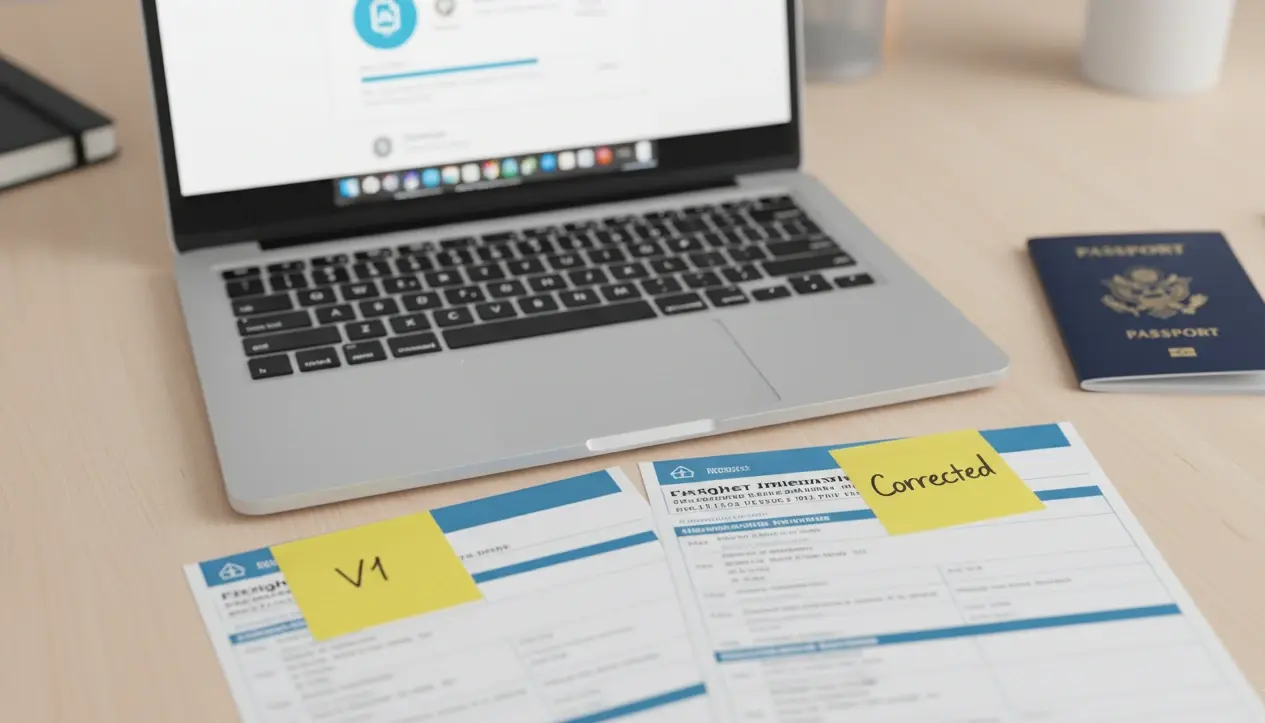
Download the exact PDF from the portal if it is still visible in your UK Standard Visitor or Schengen account, then save it as “Submitted Itinerary V1”.
-
Screenshot the upload log showing the timestamp, because some visa centers attach that log to the case file (common in France or Italy Schengen processing through VFS).
-
If you submitted a paper at a Japanese tourist visa counter, photograph your retained copy, including any stamp or checklist marks from the embassy or visa center.
If your agent claims a different file was submitted, ask for the portal receipt or confirmation email. For Canada TRV updates, IRCC can accept a later webform attachment, but you still need to know what the officer saw first. Keep a simple version list and reuse it everywhere. For a broader explanation of reservation evidence, see the complete flight-reservation guide. V1 Submitted, V2 Agent Sent Later, V3 Corrected.
Classify The Mistake Precisely (Because Each Type Has A Different Risk Profile)
Different visa systems react to different errors. A Schengen officer may focus on the first entry and dates matching the form. A U.S. consular officer may focus on credibility, but an odd routing can still trigger questions. Classify the mistake so you can choose the safest correction route.
Common flight-itinerary error types that create real post-submission risk:
-
Wrong travel dates: your Spain Schengen form shows June 10 to June 20, but the itinerary shows June 12 to June 22.
-
Wrong routing: you declared the first entry as France, but the itinerary lands in Amsterdam first, which can affect Schengen jurisdiction.
-
Wrong trip structure: your South Korea tourist file implies a round trip, but the itinerary is one-way.
-
Wrong passenger details: your passport says “Muhammad Ali Khan” but the itinerary shows “Ali Khan Muhammad”, which can break name matching in UAE visit visa processing.
-
Wrong timing logic: your UK leave letter covers July 1 to July 10, but the itinerary returns on July 14.
Write the mistake in one sentence and keep it unchanged across every message you send. Example: “Outbound date is incorrect by four days, return date is correct.” That single sentence prevents “helpful” extra edits that later look like shifting plans.
Do A “Consistency Scan” Across Your Application Before You Touch Anything
Before you replace the itinerary, identify what else becomes inconsistent, because some fields are locked once submitted. In a Schengen C visa, the application dates, insurance dates, and flight dates should line up tightly. In a Canadian TRV, your purpose letter and intended window should not conflict with the flight plan you provided.
Scan the documents officers actually compare:
-
Form fields: DS-160 intended arrival date for the U.S., Schengen travel dates, or Australia Visitor travel plans in ImmiAccount.
-
Supporting letters: a German Schengen cover letter, a UK sponsor letter, or a Japan day-by-day schedule that references arrival.
-
Employment proof: leave approval dates for a UK Standard Visitor or U.S. B1/B2 applicant when the employer letter is date-specific.
-
Timeline logic: arrival date should not precede the start date you wrote in your trip plan for a Netherlands Schengen application.
Mark contradictions, but do not fix everything at once. Your goal is to map the blast radius so the correction stays controlled and credible.
Decide What Not To Change While Correcting The Itinerary
After submission, extra changes can look like you are rewriting your story to fit scrutiny. Most embassies accept that travel plans evolve, but they dislike messy version trails. Keep your correction focused on the error that must be fixed.
If your Italy Schengen itinerary has the wrong outbound date, do not also change your return city from Rome to Zurich unless you must. If you are applying for a UK Standard Visitor, do not extend the trip beyond your stated leave window while “correcting” the flight PDF. If your U.S. B1/B2 profile already relies on clear return intent, avoid switching a round trip into a one-way segment without a clean, documentable reason.
Use guardrails that match how officers read files:
-
Keep trip length aligned to what you declared on the Schengen form, especially if you are close to the 90-day limit.
-
Keep first-entry and main-destination logic consistent for Schengen, because jurisdiction disputes are an easy refusal reason.
-
Keep traveler identity fields identical to the passport for name-sensitive systems, including Gulf visit visas and eVisa portals that auto-match names.
If you must change more than one element, tie them to one explanation, like a schedule change that forced a different connection. Otherwise, correct the minimum, submit one clean replacement, and stop.
Create A Clean Paper Trail With Your Agent Without Turning It Into A Fight (Yet)
You can deal with accountability later. Right now, you need clarity you can safely attach to a visa file. A short written acknowledgment from your agent can support an “administrative correction” note without sounding dramatic, especially for Schengen cases processed through a visa center that scans add-ons into the file.
Ask for two items in writing:
-
A confirmation of the exact mistake, such as “We issued the itinerary with the wrong departure date,” which you can reference if you submit a Canada IRCC webform update.
-
The source of the error, like a misread appointment date, so you can verify the corrected itinerary matches what you stated in the application.
Keep your request neutral. For example: “Please confirm which itinerary version was submitted and acknowledge the date or routing error so we can attach a correction.” Avoid long arguments in writing, because a U.S. B1/B2 or UK case can involve direct questions about document changes.
How Dangerous Is This Error? A Post-Submission Risk Matrix That Mirrors Real Adjudication

Not every wrong itinerary triggers a refusal, but some mistakes change how an officer reads your entire file. The goal here is to rank your specific error the way a visa officer is likely to rank it, based on how cases are actually assessed.
Low-Risk Changes That Rarely Matter Unless They Create Contradictions
These are changes that usually do not alter your “story” for a short-stay visa, as long as your dates, entry point, and return intent still match the rest of the file.
In a U.S. B1/B2 interview, a different flight number rarely matters because the consular officer is evaluating ties and purpose more than your exact airline. The risk increases only if the change conflicts with what you wrote in your DS-160 intended travel date or what you say verbally at the window.
For a UK Standard Visitor application, low-risk changes are often the ones that keep the same arrival and departure dates you already stated, but adjust the connection. A routing swap like Dubai vs Doha transit is usually not the issue. A mismatch between your itinerary dates and your employer's leave letter is the issue.
Examples that tend to stay low-risk across common visa types:
-
Same travel dates, same arrival city, but different connection time
-
Same cities, same trip length, but a different flight number
-
Same round-trip structure, but an airline code-share changes the carrier name on the PDF
Even in Schengen cases, these low-risk changes can turn into a problem if they create a document clash. If your France Schengen form lists Paris as the first entry and your itinerary still lands in Paris, a different connecting airport on the same route usually stays calm. If the change makes you land in Amsterdam instead, it becomes a different category.
Medium-Risk Mistakes That Matter Mainly Because They Can Look Careless
Medium-risk errors are the ones that look small to travelers but look sloppy to officers because they create friction between documents.
A classic example is a one-to-three-day date drift in a Schengen C visa. Spain, Italy, and Germany Schengen applications often include travel medical insurance matched to exact dates. If your itinerary shifts but your insurance dates do not, you create a mismatch that can trigger a request for updated proof or a quick “documents not consistent” refusal.
For a Japan temporary visitor visa filed through an agent, the itinerary often supports a day-by-day schedule. If your schedule says you arrive on Friday, but the itinerary shows Monday, it can look like the schedule was copied from somewhere else. Officers may read that as weak preparation, even if you have funds.
For a Canadian TRV, medium-risk often shows up when your purpose letter mentions a fixed event week, but the itinerary pushes your arrival outside that window. IRCC officers look for coherence between stated purpose and timeline. If the itinerary dates disagree with your own letter, you make the officer do extra work.
Medium-risk examples you should treat as “fixable, but fix it cleanly”:
-
Dates are off by a few days, and your leave letter is tightly bound
-
You show a round trip, but the return date falls outside what you declared on the form
-
Your entry city changes within the same country, like London to Manchester, while your plan references London specifically
-
Your itinerary arrives after the first hotel check-in date you listed in your trip plan, which can happen in Schengen bundles even when flights are the focus.
This category is less about the embassy caring which airline you take and more about the embassy seeing documents that do not agree with each other.
High-Risk Errors Because They Change The Story Your Application Tells
High-risk errors change the narrative. Officers read narratives fast. They check whether your purpose, timing, and jurisdiction line up. A wrong itinerary can break that alignment in one glance.
In Schengen processing, the most common “story change” is the first entry. If your application is lodged under the French consulate because France is your main destination, but your itinerary lands in the Netherlands first and spends more time there, you can trigger a jurisdiction problem. That can lead to refusal or a request to reapply under a different consulate, depending on the post and the case.
For a UK Standard Visitor file, a story change can be a trip length expansion that your finances do not support. If your bank statements show limited disposable funds, and your corrected itinerary adds an extra 10 days, the officer may read that as an attempt to stretch the plan after submission.
For an Australian Visitor visa (subclass 600), travel plans are considered part of your overall credibility. If your itinerary changes from a short family visit to a long multi-city tour, that can shift the officer’s assessment of whether your stated purpose and your actual plan match.
High-risk examples that often require a more careful correction approach:
-
One-way itinerary replaces a round trip in a profile that depends on clear return intent
-
Arrival country changes, like declaring France but landing in Switzerland first
-
Trip duration changes enough to collide with leave approval or academic schedules
-
Routing changes in a way that affects visa logic, such as showing a transit that could require a separate entry permission for your nationality
These errors are not “fatal,” but they usually require you to correct the itinerary in a way that reduces questions, not adds them.
Critical-Risk Errors Because They Touch Identity Or Credibility
Critical-risk errors are the ones that can look like an identity mismatch or document unreliability. These are the corrections you treat with urgency, especially when a case is already at an embassy stage.
Name issues sit here. Some systems and officers are strict about name matching because they cross-check against your passport bio page. In Gulf visit visa portals and in some eVisa workflows, the name format matters because the system matches fields. If the itinerary shows an incorrect surname, a missing middle name, or a swapped order that does not resemble your passport, you risk delays and questions.
Another critical-risk trigger is “multiple conflicting itineraries.” If you submitted one itinerary, then later submit a different one with a different route and different dates, and you do not explain it, it can look like you are testing what passes rather than correcting an error. That perception can hurt across U.S. B1/B2, UK, Schengen, and Canada cases.
Examples that belong in critical-risk:
-
The passenger's name is misspelled, truncated, or clearly inconsistent with the passport
-
The passport number appears on the itinerary and is wrong, if shown
-
The itinerary looks internally inconsistent, like arrival after the return, which officers do notice
-
You cannot explain why two different itineraries exist in the file, especially in Schengen, where document bundles are reviewed together.
If you see an identity-level error, prioritize a clean replacement and a simple correction note. Do not try to “hope it passes.”
“Timing Risk” In : Why The Stage Of Processing Changes Everything
Right after submission, many systems still allow an upload or a webform update that gets attached before review. For example, Canada TRV updates through the IRCC webform can be attached to your file if you reference your application number correctly and keep the upload clean.
After biometrics, the file may already be in an officer queue, especially for Schengen applications routed through a visa center. At that stage, you can still correct, but you need to assume the officer might already have printed or saved the earlier PDF. That is why version clarity matters. You want the officer to immediately see which one supersedes the other.
Close to a U.S. B1/B2 interview date, the risk is not that you changed a flight. The risk is that your answers at the window conflict with the documents. If your itinerary is wrong but your verbal timeline is consistent and reasonable, you can often handle it calmly. If your itinerary is wrong and you improvise dates during the interview, you create avoidable confusion.
If your case enters administrative processing, avoid flooding the file with multiple “updated” itineraries. In longer processing tracks, officers may review documents in batches. Too many versions make it harder for them to identify the latest, and it can slow you down.
A practical way to think about timing across common visa workflows:
-
Early stage: focus on getting the corrected itinerary into the official file channel
-
Mid stage: focus on making the corrected version easy to spot and easy to trust
-
Interview stage: focus on consistency between your corrected document and what you say
-
Post-interview processing: focus on one stable version unless the embassy requests more
A Simple Rule For Applicants Who Want A Safe Decision Fast
If your correction makes the file easier to approve, it usually helps. If your correction introduces new questions, you should expect extra scrutiny and plan how to answer them.
In Schengen cases, a corrected itinerary that restores proper jurisdiction, aligns with your insurance dates, and matches your application form usually reduces friction. In UK and U.S. visitor cases, a corrected itinerary that restores a normal round trip within your declared leave window often reads as a tidy fix.
Use these two checks before you choose your next move:
-
Does the correction remove a contradiction that the officer will definitely see, like dates vs leave letter, or first entry vs declared destination?
-
Does the correction add a new decision point the officer did not need to consider, like a longer stay, a different country entry, or a one-way structure?
Once you know which risk bucket your error falls into, you can choose the correction route that fits your exact stage and avoids creating a messy trail of versions.
Pick Your Correction Route: Portal Update, Written Notification, Interview-Day Fix, Or Withdrawal

Once you know what’s wrong, you need to pick the correction channel that actually attaches to your file. The “right” route depends on the visa system, your stage, and how much control you still have over uploads.
Route A: Update Through An Online Portal (Best When The System Supports Document Replacement)
Some visa platforms are built for updates. Others only collect documents once and then lock down changes. Your first move is to check whether your portal shows an upload area that still accepts new files.
Here are situations where portal updates often work well:
-
Australia Visitor (subclass 600) in ImmiAccount: you can usually attach additional documents under the relevant category.
-
UK visitor applications submitted online: you may still see an upload area through the visa center workflow before biometrics, depending on where you are in the process.
-
eVisa systems that allow “additional documents” after submission: some countries allow a post-submission attachment section even if the form is locked.
When you upload a corrected itinerary, do it in a way that an officer can spot in seconds.
Use two controls:
-
File naming that signals replacement: “Flight Itinerary Corrected -07-02.pdf.”
-
A short cover note in the same upload batch: one paragraph, one correction, one date
Avoid “portal spam.” If you upload five versions in two days, you make it harder for the caseworker to know which one you stand behind. If the system allows replacing a file, replace it once. If it only allows adding, add one corrected version and stop.
Portal update is especially useful when the original mistake is medium risk, like the dates being off by a few days on a Schengen-style travel plan or a UK visit window. It is less ideal for identity issues, where you may want a written note attached to the file history.
Route B: Notify Via Embassy/Consulate Email Or Webform (Best When Humans Control The File)
If your submission path involves humans consolidating documents, a written notification can be the cleanest correction. Think of Schengen applications processed through visa centers that forward packages to consulates. Think of Canada TRV files, where IRCC can attach documents through the official web form. Think of embassy-driven systems where a case officer adds notes to a case file.
Your goal is not to persuade. Your goal is to make it easy to attach the corrected itinerary and ignore the wrong one.
A strong message usually has three parts:
-
Your identifiers (application number, passport name, date of birth)
-
A one-sentence correction statement
-
A short attachment list
Keep the correction statement plain and specific. Examples that read normally:
-
“The submitted itinerary has an incorrect outbound date. Please attach the corrected itinerary matching the travel dates stated in the application.”
-
“The submitted itinerary shows the wrong arrival city due to an agent error. The corrected itinerary aligns with the first entry stated in the application.”
If you use a web form, treat it like a formal filing. For Canada TRV, reference your application number exactly and use one merged PDF when possible. For Schengen, if the consulate provides a contact form, use it once with a clear subject and only the necessary attachments.
Two mistakes cause silence:
-
You send a long story with multiple attachments and no clear “what changed.”
-
You attach a file with an unclear name like “new itinerary final final.pdf.”
If your case is time-sensitive, one follow-up is reasonable, but do not turn it into a daily thread. For many posts, repeated emails do not speed up attachment. They increase clutter.
Route C: Fix It At Biometrics / Document Drop-Off (Best When You Have A Physical Checkpoint)
Some applicants have a real advantage: a physical document checkpoint before the embassy reviews the case. That happens in Schengen workflows through VFS or TLS, and in certain countries where a visa center collects and scans documents at your appointment.
This route works best when:
-
Your appointment has not happened yet.
-
The visa center is still building the scanned bundle.
-
The mistake is obvious and easy to correct, like wrong dates or wrong route.
What you want at the counter is simple: the corrected itinerary scanned into the bundle and the wrong one clearly superseded.
Bring:
-
A printed corrected itinerary
-
A printed copy of the submitted one with “Submitted Version” written on top
-
A one-paragraph correction note
Keep your wording calm and operational. For example: “We noticed the uploaded itinerary has the wrong outbound date. Please scan this corrected version instead.”
Be ready for limits. Some visa centers refuse additional documents not on the checklist. If that happens, do not argue at the desk. Ask a practical question: “What is the official channel to submit an updated itinerary so it reaches the consulate?” Then use that channel.
If the staff accepts it but does not confirm scanning, protect yourself. Ask for the corrected itinerary to be placed on top of the travel documents section. If they allow, request a quick stamp or acknowledgment on your checklist.
This approach is especially valuable for Schengen, where the file often becomes a single scanned package. A corrected page inside that package can prevent confusion later.
Route D: Correct It At The Interview (Best When You Couldn’t Update Earlier)
Interview-day corrections are common in U.S. B1/B2, some UK cases with document checks, and other systems where the officer relies heavily on your answers and supporting papers you carry.
This route works when:
-
You cannot update the portal anymore.
-
The officer will still consider the documents you present.
-
The correction aligns with what you already stated in the application.
Your priority is consistency. You want the officer to hear one timeline and see one itinerary that matches it.
Bring:
-
One corrected itinerary, printed cleanly
-
A copy of the submitted itinerary, only if you think it might be in the file and cause confusion
-
A short correction note you can hand over if asked
Keep your explanation short. If the officer asks, you want a single sentence that ends the topic, not a long narrative.
Good interview phrasing usually does three things:
-
Names the issue as an administrative error
-
States that the corrected itinerary matches your declared plan
-
Confirms that the purpose and duration are unchanged
Avoid blame-heavy language. Saying “my agent messed up” can sound like excuse-making. Better: “The itinerary copy had the wrong outbound date. This corrected version matches the travel dates we stated.”
If the officer does not ask, do not force the correction into the conversation. In a U.S. B1/B2 setting, the officer may not care about your exact airline. They care about whether your intended timing is realistic and consistent with your work and family ties. If you introduce a correction unnecessarily, you can create a new thread of questions.
Route E: Withdraw And Resubmit (Rare, But Sometimes Smartest)
Withdrawal is not a “better correction.” It is a reset. It can also create new scrutiny because you now have two application histories. That said, there are situations where withdrawal protects you from a serious credibility problem.
Withdrawal becomes more rational when the itinerary error is tied to identity or jurisdiction.
Examples where a reset can be safer than patching:
-
The passenger's name on the itinerary is materially wrong and does not match the passport, and the wrong version is already embedded in the file.
-
Your Schengen application was lodged under a consulate that no longer matches your actual main destination after the itinerary correction, and you cannot keep jurisdiction coherent.
-
Your itinerary implies a completely different travel story than your stated purpose, and any correction would look like a late redesign.
Before you choose withdrawal, check two realities:
-
Fees and timelines: A new application can restart queues, especially for peak summer Schengen appointments and busy U.S. consular calendars.
-
Record consistency: You will need a clear explanation if asked why you withdrew and reapplied, particularly for repeat applications.
If you do withdraw, keep your new submission cleaner than your first one. Use one stable itinerary that matches the new form dates, and avoid extra changes right after resubmission.
A Workflow You Can Follow In 2 Minutes
Use this fast sorting process. It keeps you from choosing a correction route that creates more noise than clarity.
-
Start with what changed:
-
Identity detail wrong (name or passport-related): lean toward written notification plus a corrected itinerary, or withdrawal if the wrong version is deeply embedded.
-
Country of first entry wrong for Schengen: prioritize a correction that restores proper jurisdiction, and avoid multiple itinerary versions.
-
Dates wrong, but trip purpose and duration unchanged: portal update or webform is usually clean.
-
Then check your stage:
-
Before biometrics or document scanning: Route A or Route C often works best.
-
After biometrics, pre-interview: Route B is often the most reliable because it leaves a paper trail.
-
Interview scheduled soon: Route D works if the system is locked, and you can present the corrected version clearly.
-
Finally, check what the officer will compare:
-
If your leave letter, insurance dates (for Schengen), and trip plan lock you into a tight window, keep the correction inside that window.
-
If your application form already states a specific arrival date, make the corrected itinerary match it unless you are also submitting an official correction note.
Build A Correction Packet That Looks Normal, Not Suspicious
A corrected flight itinerary helps most when it arrives in the visa file as a clean, readable package. Officers review dozens of files a day. If your correction is easy to follow, it reads like normal travel planning instead of a last-minute rewrite.
| Error level | Typical examples | First response |
|---|---|---|
| Low | Formatting, minor display or non-material wording | Keep the record and correct only if it creates confusion |
| Medium | Date, route or supporting-document mismatch | Send one clear replacement with a short correction note |
| High | Wrong destination, identity or credibility detail | Use the official correction channel promptly and preserve the paper trail |
The Correction Packet Structure Officers Actually Appreciate
Think of your packet as a folder that an officer can understand in 20 seconds. This matters in Schengen cases where the consulate receives a scanned bundle from a visa center, and in Canada TRV cases where attachments stack in a document list.
Use a simple sequence that matches how case files are read:
-
Page 1: Correction note
-
Page 2: The itinerary you submitted (clearly marked as the earlier version)
-
Page 3: The corrected itinerary (clearly marked as the replacement)
If you are dealing with a system that does not preserve page order, like a portal that lists files by upload time, combine these pages into one merged PDF. That prevents the corrected itinerary from sitting alone with no context.
Keep the file name explicit. Officers should not have to open three different attachments to understand what changed.
Good file naming examples:
-
“Flight Itinerary Correction Packet -07-02.pdf.”
-
“Updated Flight Itinerary With Note -07-02.pdf.”
Avoid vague names like “documents” or “new file.” Those names disappear inside embassy queues.
For Schengen applicants, page order matters because the file is often printed or reviewed as a bundle. For U.S. B1/B2 applicants, the packet matters because you may hand it to a consular officer who is deciding quickly whether the correction is routine or messy.
Your Cover Note: A Calm Explanation That Doesn’t Over-Argue
Your correction note should feel like administrative housekeeping. Not a defense. Not a negotiation.
Write it so it can be read by a UK caseworker, a Schengen consular officer, or an IRCC reviewer without needing extra context.
Include four things:
-
Your full passport name
-
Your application reference number, if you have it
-
The specific correction in one sentence
-
A clear statement of what did not change
Keep it short. Two to five lines are enough.
Here is a practical structure you can copy into your own words:
-
“Applicant: [Passport Name], Passport No: [optional if you prefer], Application Ref: [if available].”
-
“Correction: The submitted flight itinerary contains an incorrect outbound date and routing due to an agent error.”
-
“Replacement: Please attach the corrected itinerary dated [date] and treat it as the current version.”
-
“Unchanged: Trip purpose, trip duration, and return plan remain as stated in the application.”
Do not add emotional language. Do not describe stress. Embassies do not process feelings. They process coherence.
Also, avoid over-explaining why your agent made the mistake. In a Schengen file, long narratives can look like you are trying to convince the officer that a weak document is acceptable. In a Canadian TRV file, long narratives can bury the key instruction and slow down attachment.
If you need to mention timing, keep it factual:
-
“The error was identified after submission and corrected immediately.”
That line works across systems without sounding dramatic.
Make The Corrected Travel Itinerary “Easy To Trust” At A Glance
Officers look for quick signals that the corrected itinerary is a stable, believable plan.
You can influence that impression without adding extra documents.
Focus on clarity and consistency:
-
The passenger's name matches the passport exactly
-
Dates match what you stated in your application form
-
Entry city aligns with your declared destination logic, especially for the Schengen jurisdiction
-
Round-trip structure is clear when your profile relies on return intent
If you are applying for Schengen, the first entry city is the detail that gets read fast. A French Schengen file that shows the first entry in Amsterdam can trigger immediate “wrong consulate” questions. If your corrected itinerary fixes the first entry, make that visible on the first page of the itinerary.
If you are applying for the UK, the key detail is that the flight dates sit inside your stated leave window. If your employer's letter approves leave from August 1 to August 12, your itinerary should not return on August 15. Even if the UK officer does not “require” a ticket, date mismatches can undermine credibility.
If you are applying for the U.S. B1/B2, make sure your corrected itinerary aligns with what you plan to say. The consular officer may ask, “When are you traveling?” If your corrected document shows September but you say October, you create confusion that did not need to exist.
Small presentation choices help:
-
Use one clear PDF, not screenshots
-
Avoid multiple alternate options in one file
-
Keep the itinerary readable without zooming
When an officer can scan it, they are more likely to treat it as a normal update.
Consistency Checks Before You Submit The Corrected Version
Before you attach the packet, do a targeted check that is specific to flight documents and visa logic. These checks prevent you from fixing one error while accidentally creating another.
Run these checks in order:
1) Date Alignment With The Form
-
Schengen: Do your corrected flight dates match the dates on the application form and insurance?
-
UK: Do your flight dates match the arrival and departure window you stated online?
-
U.S.: Do your dates reasonably align with the intended travel period you listed in DS-160?
2) Jurisdiction And Entry Logic For Schengen
-
Does the first entry match the consulate you applied to, or does it create a jurisdiction conflict?
-
If your main destination is Italy, but you land in France, does your itinerary still show Italy as the main stay?
-
If you corrected the first entry, does your cover letter or plan need a matching line to avoid a mismatch?
3) Return Structure And Return Timing
-
Does the itinerary clearly show a return segment if your case relies on return intent?
-
Does the return date stay inside your leave approval or school schedule?
-
If your return is close to a key obligation date, can you explain it simply if asked?
4) Transit And Layover Practicality
-
Does the connection look realistic for international travel?
-
Does the transit point create additional entry permission questions for your nationality?
-
If your itinerary now transits through a place with strict transit rules, are you creating a new “why that route” question?
You are not trying to optimize a real trip here. You are trying to avoid avoidable confusion in a visa file.
If any of these checks fail, fix the itinerary before you submit the correction packet. A corrected packet with a new inconsistency can look worse than the original mistake.
What To Do If You Need A Replacement Reservation Quickly (Without Creating New Complications)
Sometimes the agent cannot fix it in time, or the fix arrives too close to biometrics or an interview. In that case, your priority is speed with stability.
Aim for a replacement flight reservation that supports your declared plan:
-
Same travel window you already stated
-
Same destination logic you already claimed
-
Clean passenger name matching the passport
-
A single version you can stand behind
Avoid generating multiple alternatives. Officers do not need options. They need one coherent plan.
If your correction is time-sensitive, keep your workflow tight:
-
Choose the corrected dates and entry city first
-
Generate one replacement itinerary
-
Merge it into the correction packet with the note and the original submitted version
-
Submit through the single channel you selected in the previous section
When a replacement is needed quickly, choose a provider only after checking how its PNR is issued, where it can be verified, how long it remains valid and what its current update terms are.
Even when you use a fast option, keep your file behavior disciplined. Submit one corrected packet, then stop changing it unless the embassy asks.
The One Thing That Makes Correction Packets Backfire
A correction packet backfires when it looks like the correction is not a correction. It looks like a redesigned trip.
This happens when the “corrected” itinerary quietly introduces a new story:
-
Trip length expands beyond what your leave letter supports
-
Entry city changes to a different Schengen country than the one you applied under
-
A round trip becomes a one-way plan without a documented reason
-
The new routing introduces a complicated transit that raises extra questions
Officers can accept a human mistake. They struggle with shifting narratives.
If your correction must include a bigger change, anchor it to one clear reason and keep the rest stable. Example: “Outbound date changed to match the approved leave dates” is clean. “We changed dates and route and extended the trip,” creates more questions than it answers.
Contact The Right Place The Right Way: How To Get Your Correction Attached To The File
A perfect correction packet still fails if it lands in the wrong inbox. In , many visa pipelines split responsibilities between an online portal, a visa application center, and the actual decision office, so your job is to send the update, which becomes part of the file.
Who Controls Your File In (And Why Messaging The Wrong Inbox Wastes Days)
In Schengen short-stay processing, your first contact point is often a visa application center that collects, scans, and forwards. Once the bundle is transmitted, the consulate becomes the decision-maker, but not always the document intake channel. Some consulates will not accept direct email attachments from applicants once the file is with them.
In UK visitor workflows, the online application is separate from the biometrics appointment. If you are before biometrics, your document upload platform is usually the best control point. After biometrics, escalation to the official contact method becomes more relevant.
In Canada, TRV processing, IRCC is the decision office. The web form is a formal intake path for additional documents. Random emails to visa offices often do not attach to your file unless you are instructed to use a specific address.
In U.S. B1/B2 processing, there is no “upload a correction to the DS-160” in most cases. The DS-160 is locked. The consulate interview is where clarity happens. Some posts allow document submission channels, but the safest assumption is that you correct through the interview document set, not by emailing a generic address.
Use this practical sorting question:
-
Are your documents still in a stage where a third-party intake center is compiling them, or is the decision office already reviewing?
If you are dealing with a visa center, your correction must reach them in an accepted format. If you are dealing with a government portal, your correction must be attached through that portal or the official web form.
Email/Webform Messages That Get Read: Structure That Signals Clarity
Visa staff scans messages fast. They look for identity, case reference, and a specific request. If any of those are missing, your message risks being ignored or treated as a general inquiry.
Build your message with a tight structure.
Open with identity and reference:
-
Passport full name (exactly as in the application)
-
Date of birth
-
Application reference number or GWF number for the UK, IRCC application number for Canada, or Schengen appointment reference, if that is all you have
Then give one correction sentence:
-
“Please attach the corrected flight itinerary and treat it as the current version. The submitted itinerary had an incorrect outbound date.”
Then list attachments in one line:
-
“Attachments: Flight Itinerary Correction Packet PDF, containing correction note, submitted itinerary, and corrected itinerary.”
If you are submitting through a web form, keep the text even shorter. Webforms often truncate long messages in the internal view. The attachment matters more than your story.
Use language that fits common embassy workflows:
-
“Please add to the file.”
-
“Please attach to the application.”
-
“Please replace the earlier itinerary with the corrected version.”
Avoid language that sounds like negotiation:
-
“Please approve.”
-
“Please consider kindly.”
-
“Please overlook the mistake.”
Those phrases can make your message feel emotional instead of administrative.
If your Schengen itinerary correction involves the first entry, mention it directly in the correction sentence. That prevents staff from assuming it is a minor update:
-
“The corrected itinerary aligns the first entry and main destination with the application.”
If your UK case involves a tight leave window, anchor the correction to that:
-
“The corrected itinerary matches the travel dates stated in the application and employer leave letter.”
Attachment Rules That Prevent Rejection Or Silent Ignoring
Embassies and visa centers are strict about file format for one reason: they need to print, store, and open documents reliably.
Follow these rules unless your post instructs otherwise:
-
Use PDF, not images, unless the portal only accepts images.
-
Use one merged PDF if you are emailing or using a web form, so the correction note and itineraries stay together.
-
Keep the file size small. Compress if needed, but keep text readable.
File naming matters more than most applicants think. A clear name can prevent your attachment from being mislabeled in an internal system.
Use a file name that contains:
-
Document type: Flight Itinerary
-
Action: Correction
-
Date: -07-02
-
Optional identifier: application reference, last 4 digits if you have it
Example:
-
“Flight Itinerary Correction -07-02 Ref1234.pdf.”
Avoid names that look temporary:
-
“final.pdf”
-
“scan123.jpg”
-
“new itinerary updated.pdf”
If you are uploading through a portal with categories, choose the category that makes sense for travel evidence. In Australia, ImmiAccount, select a travel-related category. In UK upload platforms, choose “Travel evidence” or equivalent. Misfiled uploads sometimes go unseen.
Also, avoid links. Do not send Google Drive links or booking portal links unless the embassy specifically requests them. Many government systems block external links, and staff cannot open them on restricted networks.
Follow-Up Cadence That Isn’t Annoying But Doesn’t Let Your Case Disappear
Follow-ups work best when they are timed and minimal. The goal is receipt confirmation or attachment confirmation, not “attention.”
Use follow-ups only when at least one of these is true:
-
You received an auto-response that does not confirm the attachment.
-
Your biometrics or interview is close, and the correction is high-impact, like a Schengen first-entry issue.
-
The portal shows no sign that your upload is visible after submission.
A practical cadence that fits many workflows:
-
Send the correction once.
-
Wait a reasonable processing window for that channel.
-
Send a single follow-up that references the original message and repeats the key identifiers.
Your follow-up should be shorter than your first message.
Example structure:
-
“Following up on the itinerary correction submitted on [date]. Please confirm it has been attached to the application [reference]. Attachment included again for ease.”
Do not change the attachment name between messages. Consistency helps internal staff match your follow-up to the same file.
If you are dealing with a visa application center before a Schengen appointment, you can follow up closer to the appointment. If you are dealing with IRCC, repeated follow-ups rarely speed things up. One clean submission is more valuable than three reminders.
If They Refuse To Take It: Your Calm Escalation Ladder
Sometimes, staff will refuse extra documents. This happens at visa centers that follow strict checklists, and at embassies that only accept documents through official forms.
When you get a refusal, do not argue that the itinerary is important. Instead, ask for the correct channel.
Use questions that force an operational answer:
-
“What is the official channel to submit an updated flight itinerary so it attaches to the application?”
-
“Can you confirm whether the decision office accepts updates through the webform or portal only?”
-
“Is there a document upload window linked to my appointment reference?”
If the visa center refuses to scan your corrected itinerary at the desk, shift to the official written channel the same day. That is why your correction packet is designed to be portable.
If the embassy refuses email attachments, use their web form if they provide one. If no web form exists, plan to present the corrected itinerary at the next official checkpoint, like the interview or document check.
For Schengen, if the refusal is about “wrong consulate,” do not try to patch it with emails. That problem is jurisdictional. You may need to adjust your correction route, including withdrawal and reapplication under the correct main destination if the consulate requires it.
Keep Your “Version Control” Clean, So You Never Contradict Yourself Later
Version control is not a tech concept here. It is a credibility concept. The moment you submit more than one itinerary, you risk contradictions.
Use three rules:
-
One active itinerary: only one version should be presented as current.
-
One explanation: the correction note should not change between channels.
-
One label system: keep V1 and V3 labeling consistent in every file and message.
If you upload a correction packet in a portal and also send it by web form, keep the content identical. Do not “improve” the itinerary in the second submission. That creates two different corrected versions.
If an officer asks why you changed it, your answer should match your correction note word for word in meaning. That is especially important for U.S. B1/B2 interviews and UK decisions, where inconsistencies can trigger extra questioning.
If You Have An Interview (Or A Document Check) Coming: Handle It Without Triggering Suspicion
When an interview or document check is coming, the correction becomes a live conversation. Your goal is to keep your travel itineraries consistent, clear, and easy for an officer to file without confusion.
The 15-Second Explanation That Works Globally
Use one short explanation that fits a Schengen counter, a UK document desk, or a U.S. B1/B2 window. Keep it calm. Keep it factual. Then stop.
Say it like this:
-
“The itinerary submitted earlier had an incorrect outbound date due to a travel agent error. This corrected version matches the travel dates stated in the application. The purpose and length of stay stay the same.”
If the officer asks for specifics, add only one detail that matters:
-
Dates, first entry, or name matching
Before you speak, double-check that the corrected dates match what you wrote in the form and what you plan to say out loud. Officers notice when you change the story mid-sentence after you realize the dates do not align.
If your appointment is in December, expect heavier queues and faster interactions. Short answers matter more during peak processing periods.
What To Bring To The Interview So You Look Prepared, Not Reactive
Bring a tight set of papers that supports the correction without creating new questions.
Carry these items:
-
The corrected flight itinerary as a clean PDF printout
-
The one-page correction note on top
-
The earlier submitted version, only if you expect it may be displayed in the file, and cause a conflict
-
One anchor document that supports your timing, like Schengen insurance dates or a UK leave letter
If you also have an airline ticket receipt, keep it behind the itinerary packet. Do not lead with it unless asked. In many posts, the officer wants to see the intention and the dates, not your payment trail.
Keep a backup on your phone in case the printout gets lost or the visa center asks for a digital copy. If local rules allow, save it offline so you are not searching your email at the counter.
If you are still finalizing your route because of work timing or a holiday schedule, keep that flexibility inside the same travel window you declared. The paper should show one stable plan.
How To Answer Follow-Up Questions Without Oversharing
Follow-up questions are normal. The risk is giving extra details that invite a second round of questioning.
If asked, “Why did it change?” say:
-
“It was an administrative mistake in the itinerary copy, and we corrected it to match the application dates.”
If asked, “Which version is current?” say:
-
“This corrected version is the current plan.”
If asked “Are you definitely flying on this exact flight?” answer by visa type:
-
Schengen: “These dates and entry points match the application and supporting documents.”
-
UK: “These dates fit the approved leave period.”
-
U.S. B1/B2: “This is the intended window. The exact flight may change, but the timing and purpose remain consistent.”
If you are asked about booking online or whether you will buy the new ticket soon, keep it practical:
-
“We will book once the visa is issued.”
Avoid talking about whether you plan to cancel later, request a refund, or compare options. Those topics can sound like you are gaming the process, even when you are just being honest about normal travel behavior.
If the officer suggests you should update something through an official channel, ask for the exact instruction source on the embassy website or the visa center guidance, then follow it exactly. Do not improvise.
If The Officer Is Skeptical: How To Anchor Credibility Fast
Sometimes the officer pushes back, especially if your correction touches the first entry, trip length, or identity details. Stay calm. Anchor your credibility in items that match your file.
Use the fastest anchor for your visa type:
-
Schengen: “The corrected itinerary aligns with the stated travel dates, insurance coverage dates, and main destination.”
-
UK: “The corrected itinerary matches the travel window and the leave approval dates.”
-
U.S. B1/B2: “The travel window matches what we stated in the DS-160, and the purpose of travel remains the same.”
Remember, the officer is a person reading many files. Make it easy for them to say, “Understood,” and move on.
If they ask whether you can prove the change was an error, you can reference a short message from the agent or show the correction note. Keep it brief. Do not start a complaint about service quality.
If your correction relates to a name mismatch, point to your passport bio page and the corrected itinerary name line. Then stop talking.
Avoid Placing Too Much Weight On The Wrong Detail
Different systems weigh flight documents differently. Treat the itinerary as support for coherence, not a substitute for the rest of your case.
For U.S. B1/B2, the officer may not care about your exact route on international flights. They care about ties, timing, and purpose. If your corrected itinerary matches your stated travel window, keep your focus on those bigger points.
For Schengen, itinerary details can matter more because officers check jurisdiction logic and supporting dates. A corrected first entry city that matches your application can prevent a “wrong consulate” problem.
For the UK, the itinerary matters mainly when it conflicts with leave dates and finances. A date mismatch can raise doubts about whether the trip is realistic, given your financial situation.
Many airlines change schedules or reroute connections. That reality is normal. The key is that your intended dates and trip structure stay consistent across your file.
If The Correction Introduces A New Transit/Entry Issue For Your International Flight
Sometimes a quick fix creates a new problem, like an odd transit route or a first entry conflict for Schengen.
If asked, keep the answer practical:
-
“The connection changed due to availability, but the entry country and dates match the application.”
If the route now suggests a transit issue for your nationality, do not argue about airline routing. Offer clarity:
-
Confirm you are entering the country you applied for
-
Confirm the travel window is unchanged
If the officer asks whether you will have to pay a change fee later or modify the ticket, keep the focus on visa timing:
-
“We will confirm and purchase the final itinerary after the visa outcome.”
If they ask about disruptions, you can mention cancellations as a normal reason plans shift, without turning it into a long explanation.
After The Interview: What “Next Steps” Look Like If They Request More
If you are asked to submit an updated itinerary after the interview, follow the exact channel they specify. Do not send it to random inboxes.
Keep your follow-up clean:
-
Use one merged PDF
-
Use the same correction note language
-
Use the same file name format as before
If a visa center tells you the upload portal is not accepting files, contact customer support through their official online chat or by phone, and ask for the correct upload method tied to your appointment reference. Keep screenshots of any guidance they give.
If the officer says to bring a document later, do not show up with multiple versions. Bring the single corrected version, and keep your explanation consistent with what you already said.
If you are asked whether the reservation format is legal for embassy submission, stick to the process language:
-
“We are submitting a flight reservation document in the format requested for visa processing, aligned with the dates declared in the application.”
Do not start debating costs. Avoid lines about how much you plan to pay, how payment will be made, or how you will manage a future refund. Those details do not help your case.
Many people get nervous and over-explain at this stage. We recommend you skip that instinct and keep the correction administrative, so we can assist the officer in attaching the right document and help you resolve the issue without introducing new questions.
If Your Dates Shift Again After You Correct The Itinerary: Keep The File Calm
Sometimes the first correction is not the last change. Visa queues move slowly, airlines adjust schedules, and your leave dates can shift. The key is to update only when the change is real and necessary, and to do it in a way that still looks stable to an officer.
Treat A Second Change Like A Controlled Amendment, Not A New Story
A second update needs one clear reason. Pick the reason that an officer can accept quickly.
Common, credible reasons that fit most visa files:
-
Employer leave dates changed after internal approval was revised
-
A fixed event date was moved, as a conference was rescheduled
-
A connection time change forced a same-day date adjustment
Keep your explanation to two sentences. Do not stack reasons. If you add three reasons, it sounds like a moving target.
Also, keep the same trip purpose, the same destination logic, and the same approximate duration whenever possible. A UK file that suddenly shifts from a 10-day visit to a 21-day visit invites funding questions. A Schengen file that shifts the first entry after you already corrected it invites jurisdiction questions.
Only Update the Airline Ticket When The Change Creates A Document Conflict
You do not need to update for every small tweak. Update when the file would otherwise show a clear contradiction.
An update is usually worth it when:
-
Your new travel window no longer fits your UK leave letter dates
-
Your Schengen insurance dates no longer cover the itinerary dates
-
Your corrected itinerary no longer matches the dates you plan to state at a U.S. B1/B2 interview
If the change is minor and does not create a conflict, keep the corrected version you already filed. Too many versions can slow review, especially when a consolidated bundle is already scanned.
Submit The Second Update As A Replacement Packet, Not A Loose File
Do not attach “just the new itinerary” with no context. Reuse the same packet structure, but make it a clean replacement:
-
New correction note that references the prior correction
-
The prior corrected itinerary is labeled as the previous version
-
The updated itinerary is labeled as the current version
Use the same channel you used last time unless the embassy instructs otherwise. Consistency keeps your file readable, and it reduces the chance that the officer compares the wrong versions.
Walk Into The Next Step With A Clean, Credible File
Schengen desks, UK visitor teams, and U.S. B1/B2 windows all react best to one clear set of travel itineraries. If you were surprised by the wrong airline ticket after submission, you now know how to correct it without creating competing versions that confuse the embassy file. Keep your message short, keep your dates aligned, and keep your corrected itinerary easy to attach and review.
We have kept this practical so you can act fast without wasting money or spending half your energy on avoidable back-and-forth. If you need a bit of extra confidence, ask your travel agent or the visa center for assistance through the official channel, and keep the same calm wording across every update your company submits.
Ready to correct the itinerary cleanly? Preserve the submitted version, explain one genuine error and send one consistent replacement through the instructed channel.
Prepare your reservationFrequently Asked Questions
Can I correct a wrong itinerary after submitting my visa application?
Often, yes, if the authority provides a portal, webform, email, document-drop or interview process for updates. Follow the exact instructions for your file.
What should I do first after discovering the error?
Preserve the exact submitted version, identify the error precisely and check which official channel controls your case before sending a replacement.
Should I send several corrected itineraries?
No. Use one clear replacement packet unless the authority asks for another version. Multiple competing files can make the case harder to interpret.
Do I need a correction note?
A short factual note is useful when the error changes dates, route, identity or another material detail. State what was wrong and what the corrected document shows.
Can a new flight reservation fix a credibility problem?
No. A truthful replacement can clarify travel evidence, but it cannot repair false statements, fabricated documents or missing visa requirements.
Does correcting an itinerary guarantee approval?
No. It only helps keep the file accurate. The authority decides based on the complete application and current rules.
Friendly reminder: BookForVisa provides temporary travel-proof documents for planning and application support. Requirements vary by destination, airline, route and applicant situation. A flight reservation can support a file, but it does not guarantee approval, boarding or entry.