Why Inconsistent Travel Dates Cause Visa Rejection
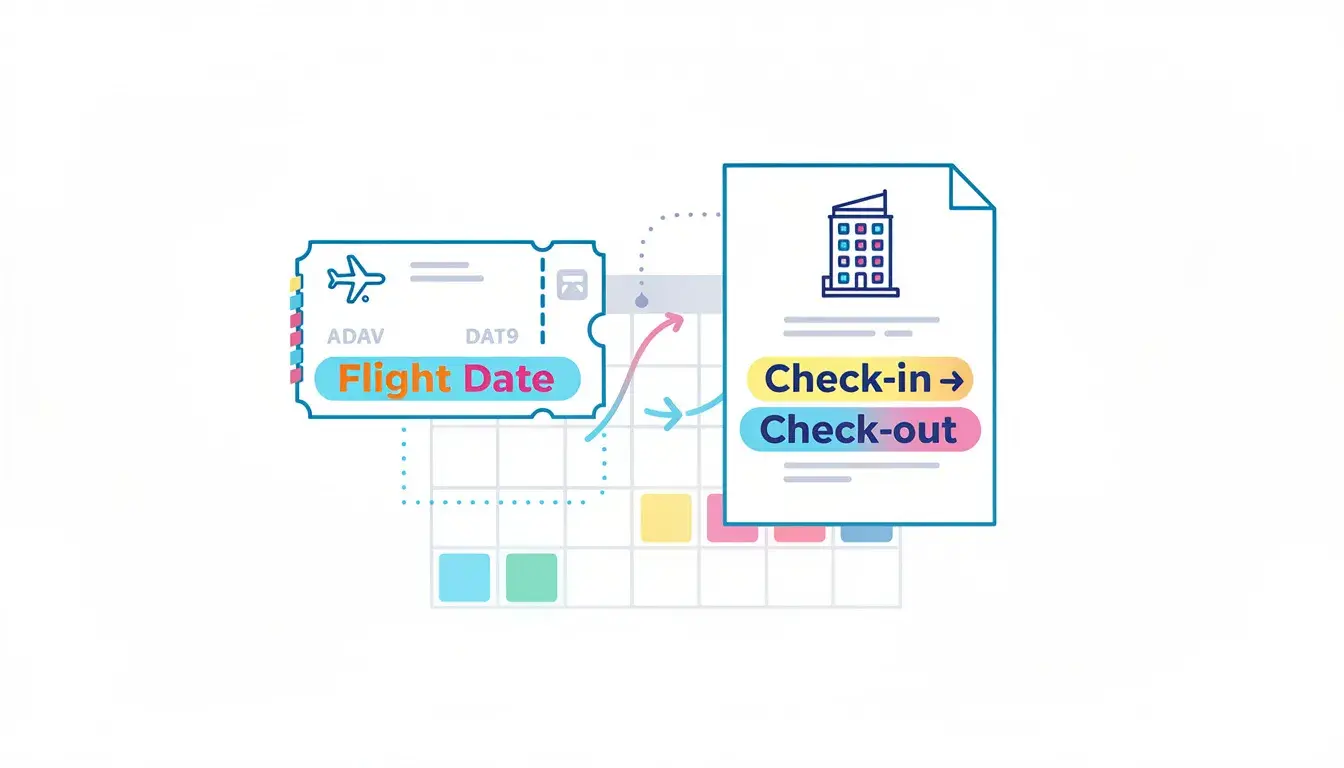
Your file can look spotless until one date breaks the story: the flight arrives on the 12th, the hotel starts on the 13th, the leave letter begins on the 14th, and the cover letter says you enter on the 11th. To an applicant, that may feel like a typo. To a reviewer, it can look like several drafts stitched together.
This article treats travel dates like a timeline audit. We will separate serious mismatches from harmless formatting noise, then rebuild a clean itinerary window across flights, hotels, insurance, invitation letters, leave letters and application forms. For broader reservation basics, keep the 2026 flight reservation for visa complete guide as the pillar reference, then use this page for the date-consistency repair layer.
The goal is not to make every trip look artificially perfect. Real travel includes overnight flights, timezone shifts, open-jaw routes, family split returns and appointment delays. The goal is to make those details understandable, documented and consistent enough that the embassy can follow one timeline without guessing.
In This Guide
The Date Mismatches That Trigger “This Itinerary Isn’t Real”
A single date conflict can turn a clean-looking visa file into a credibility problem. In Schengen short-stay files, the mismatch often appears between the application form, flight reservation, accommodation and insurance. In UK, Canada, Japan, Australia or US visitor-style files, it may appear as a purpose-of-visit problem: the event, meeting, family visit or tourism plan no longer fits the travel dates.
Not every difference is equally serious. A flight departing India late at night and arriving the next day is normal. A hotel beginning two days after arrival with no explanation is not normal. The reviewer’s question is simple: does this timeline support the reason you gave for travel?
The Single-Day Mismatch That Is Worse Than It Looks
One day can matter when it changes the logic of the trip. If a Japan tourist form says you enter Tokyo on 12 May but the flight itinerary lands on 13 May, the embassy sees two arrival dates. If a Schengen cover letter says 10 days in France but the flights show 9 days, it can look like documents from different versions.
Direction matters too. Leaving one day before approved leave begins can suggest you are not actually permitted to travel on that date. Returning one day after approved leave ends can create doubts about your employment timeline. The fix is not a long explanation; it is usually to align the dates before submission.
Arrival, Departure And Purpose Window Conflicts
A purpose window is the date range that makes the trip necessary. For a business visit, it may be meeting dates. For a wedding, it may be the ceremony week. For a student interview, it may be the appointment date. If the flight lands after the purpose date, the itinerary no longer supports the stated reason.
Example: a German Schengen business invitation says meetings run 20–22 March, but the flight arrives in Frankfurt on 23 March. That is not a small formatting issue. It is a purpose conflict. For a US or Canada visitor application, a stated two-week family visit paired with a five-day itinerary can also look rushed or inconsistent.
Entry City Vs Flight Route
For Schengen, first entry and main destination are concrete concepts, not decorative fields. If the form says first entry is Paris but the itinerary first lands in Amsterdam, the application contains a direct contradiction. If the country of application is based on main destination, the hotels and route should make that country obvious.
The same problem appears outside Schengen as destination drift. A UK visitor says London is the base, but the flight arrives in Manchester with no explanation. A Canada visitor says Toronto is the stay city, but the route shows a long Vancouver stopover that looks like an undeclared side plan. The route may be possible, but the file needs to explain it naturally.
Overnight Flights, Midnight And Time Zones
Overnight flights cause many avoidable mistakes. If a flight departs on 10 June and arrives on 11 June, the destination arrival date is 11 June. Your hotel, form and first-day itinerary should follow that arrival date, not the departure date from your home country.
For routes with connections in Istanbul, Doha, Dubai or European hubs, the date can flip mid-route. A traveler may board the first segment on 3 September but first enter the destination country on 4 September. If the visa form asks for intended entry, use the actual entry date, not the boarding date.
Transit Days That Do Not Exist On Your Timeline
Transit can be normal, but the timeline must survive basic scrutiny. A 35-minute international connection, a self-transfer across airports, or a near-24-hour layover that is never mentioned can make the itinerary look unrealistic. Officers do not need to audit every airport minute to notice a route that feels impossible.
If the itinerary lands on Tuesday because of an overnight transit, do not write Monday as your arrival date in the cover letter. If there is a long layover, make the rest of the file simple enough that the layover reads as a schedule issue, not hidden travel.
Date Formatting That Mimics Dishonesty
Ambiguous numeric dates can create fake contradictions. The date 03/07 can mean 3 July or 7 March depending on format. If one document uses DD/MM and another uses MM/DD, a reviewer may not assume your intended meaning.
Use month names in narrative documents whenever possible: “7 March 2026” is clearer than “07/03/2026.” In application forms that require numeric dates, follow the form format exactly and keep supporting documents consistent.
Official Document-Consistency Framework
Official visa systems rarely say “one date mismatch equals automatic refusal.” They usually assess whether the applicant has shown a credible purpose, conditions of stay, funds, return or onward capacity, and intention to leave. That is why inconsistent dates matter: they weaken the evidence chain.
The EU Visa Code says a Schengen applicant may need documents indicating journey purpose, accommodation, funds for the stay and return or transit, and information allowing assessment of intention to leave before the visa expires. Annex II also lists examples such as documents connected to business, study and other purposes. EU Visa Code, Article 14 and Annex II
UK visitor guidance similarly frames the file around genuine-visitor evidence, including purpose, leaving at the end of the visit, ability to support yourself, and ability to pay for return or onward travel. It also warns applicants to bear in mind that providing documents does not guarantee success, especially when making bookings before applying. GOV.UK visitor supporting documents guidance
Canada’s visitor-visa guidance asks applicants to follow the personalized document checklist and describes itinerary evidence as documents showing how long you plan to stay and what you will do, including flight details and accommodation. Canada visitor visa application guidance
A Clean Rebuild Workflow That Forces Every Document To Agree

When dates clash, quick edits often make the file worse. The safer method is to rebuild one travel window, then update each date-bearing document against that window. For reservation-specific formatting and proof fields, use the flight reservation for visa guide; this section focuses on the timeline itself.
Start With One Anchor Date
Pick the date your application cannot afford to contradict. That becomes the anchor. For many applicants, the flight departure is a weak anchor because it is easy to change. A stronger anchor is often tied to an external document.
- Fixed event anchor: conference date, wedding date, exam date, medical appointment or interview date.
- Permission anchor: approved leave start date, school break, employer return-to-work date.
- Process anchor: biometrics date, passport submission window, appointment timing.
If your employer leave starts on Monday, do not build a flight plan that departs Sunday unless the leave letter or work policy supports that. If the purpose is a conference, anchor the itinerary to arrive before the conference begins, not after.
Build A Simple Travel Timeline Before Booking
Before generating or changing any reservation, map the trip in plain language. Keep it factual:
- Departure from home country.
- Arrival or first entry in the destination country or region.
- First accommodation night.
- Purpose dates, such as meeting, event, visit or tourism window.
- Final night of accommodation.
- Return or onward departure.
- Arrival back home, if that matters for work or school.
Now add safety buffers. Overnight routes may need a one-day arrival buffer. Tight work or school obligations may need a return buffer. Multi-city plans should first lock entry and exit before adding internal movements.
The Cross-Document Alignment Pass
Most mismatches hide outside the flight PDF. Search every document for dates. Then check whether each date supports the same travel window or clearly explains why it differs.
| Document | Date Risk To Check | Repair Rule |
|---|---|---|
| Application form | Intended arrival, departure and duration | Match actual entry and exit dates. |
| Cover letter | Trip window repeated in sentences | Use month names and one consistent range. |
| Flight reservation | Departure, arrival, return and first-entry city | Match form and route logic. |
| Hotel or host proof | Check-in and check-out dates | Cover nights between arrival and departure. |
| Travel insurance | Coverage start and end | Do not leave the trip window uncovered. |
| Employer or school letter | Leave dates and return obligation | Trip must sit inside the permitted absence. |
| Invitation letter | Host availability or event dates | Flights should support the invitation period. |
The Two-Version Fix
Many applicants break their file when they edit one document after an appointment change. Keep two versions from the start:
- Submission set: the exact documents you submit, with one coherent window.
- Change-safe plan: your private backup window if the appointment or travel timing shifts.
The change-safe plan should preserve trip length, purpose, first-entry logic and return obligation. If you move a 9-day trip forward by three days, move every dependent date with it. Do not update only the flight reservation and leave the hotel, insurance or cover letter behind.
When Appointment Timing Forces Awkward Flight Dates
Appointments can push applicants into unrealistic travel windows. If biometrics are late and processing time is uncertain, avoid submitting flights that depart too close to the appointment. A tight window creates pressure to revise, and late revisions create version drift.
If the date window must change, update it as a controlled set. A clean delayed trip usually looks better than a frantic plan that begins before the visa can realistically be decided.
Fixing Specific Inconsistencies Without Creating New Red Flags

Change The Flight Dates Or Change The Story?
Start by deciding what is more locked: the travel proof or the reason for travel. Change the flight dates when the story is supported by harder documents, such as an invitation, conference schedule, employer letter or school break. Change the written story only when the purpose is genuinely flexible and the visa category remains the same.
Never fix a date mismatch by drifting into the wrong visa type. A tourist trip that suddenly sounds like work meetings can create a bigger problem than the original date gap.
The Same-Duration Trick
When dates move, preserve the trip length where possible. A 7-day trip shifted forward by a week is easier to understand than a 7-day trip that suddenly becomes 14 days. Duration affects funds, accommodation, insurance, leave approval and return logic.
- Lock total duration in nights or days.
- Move the full window as one block.
- Update every document that repeats the window.
- Re-check funds, leave and insurance against the new duration.
This is especially useful when processing delays make the original departure date unrealistic. You can keep the trip story stable while moving the calendar.
Multi-City Plans
Multi-city routes fail when the timeline implies teleportation. Keep one clear entry point, one clear exit point and realistic transfer days. If your itinerary says Italy then France, but your flight first lands in France, the documents must explain why France is first entry and Italy is still the main stay if that is the application basis.
For Schengen-specific first-entry and main-destination alignment, use the Schengen visa flight reservation requirements guide as the supporting pillar. This article stays focused on date contradictions.
Round Trip, Open Jaw Or Separate One-Ways
A round trip is usually the simplest structure because it shows one departure and one return. An open-jaw itinerary can also be coherent when the route naturally supports it, such as arriving in Paris, travelling overland, and departing from Rome. Separate one-way segments create more places for formatting, name or date inconsistencies.
If your travel history is thin, finances are tight or purpose documents are weak, keep the route simple. Complexity is not automatically bad, but complexity plus inconsistent dates creates avoidable doubt.
Editing After Submission
Safe updates preserve purpose, duration and route logic. Unsafe updates change the first-entry city, stretch the trip length, alter the visa category logic, or create conflicting versions across upload portals, emails and printed documents.
If a visa office asks for updated travel plans, submit one clean updated set. Do not attach old versions for context unless specifically requested. Multiple date versions can look like uncertainty rather than transparency.
Tiny Plausibility Checks
Run the checks a busy officer might run mentally:
- Does the trip length match the bank evidence?
- Do the flights fit the employer or school dates?
- Do hotel nights cover the actual arrival and departure?
- Does the route make sense for the stated purpose?
- Does the return date support the claim that you will leave on time?
If the answer is no, fix the document chain before submission. A clean file reduces processing friction even when the underlying trip is ordinary.
High-Risk Cases Where Date Logic Breaks

Short Lead Time Before Departure
When the intended departure is very close to the appointment, every date gets more sensitive. If the visa decision may not arrive before departure, the itinerary can look unrealistic. Build a travel window that gives the process breathing room where possible.
International Date Line Confusion
Pacific routes can appear to arrive before they depart because of the International Date Line. Do not “correct” airline dates based on intuition. Use the itinerary’s local arrival date for entry fields and write month names in narrative documents to avoid confusion.
Group And Family Files
Family files are often read as one shared trip. If one adult has different leave dates, one child’s school break is shorter, or one traveler’s passport renewal changes readiness, document the reason. Do not let one person’s timeline silently contradict the group plan.
Keep one shared entry date and first destination where practical. If someone returns earlier, tie it to a clear reason such as work, school or caregiving obligations.
Ticket Holds Expiring Mid-Process
Temporary reservations can expire during review. The risk is not just expiry; it is version drift. If you upload one itinerary, print another, and email a third after a document request, the file now contains competing dates.
Use one final itinerary file. If it must be replaced, replace it everywhere and keep the same trip logic unless the visa office asks for a revised plan.
If The Officer Thinks You Are Shopping Dates
Date shopping is the impression that you are changing travel windows to fit what you think the embassy wants, instead of documenting a real plan. It can be triggered by repeated date changes, a big duration shift, or a revised itinerary that changes entry city and purpose timing together.
The fix is not more explanation. The fix is one stable version anchored to external evidence: approved leave, event timing, host availability, school break, medical appointment or return obligation.
Previous Refusal Or Weak Travel History
When a file already carries credibility pressure, date mismatches receive less benefit of the doubt. If you had a previous refusal, do not submit a lightly edited version of the same inconsistent plan. Rebuild the timeline from the anchor date and make sure every supporting document agrees.
Submit One Timeline The Embassy Can Verify

The strongest visa file does not necessarily have the most documents. It has the least contradiction. Flights, accommodation, insurance, invitations, employer letters, school letters and cover letters should all support the same calendar.
Before submission, choose one master timeline and treat it as the source of truth. If the appointment shifts, revise the timeline as a set. If the flight changes but dates stay the same, you may not need to rewrite the whole story. If dates change, check every dependent document.
For Schengen, the most important alignment points are first-entry date, main destination, hotel nights, travel insurance and exit date. For UK, Canada, Australia, Japan and US visitor-style files, the core points are purpose timing, duration, funds, return obligation and accommodation. The document labels differ, but the logic is similar: one trip, one calendar, one story.
Final Date Audit Checklist
- Anchor date: fixed by event, leave, school, appointment or return obligation.
- Arrival date: matches local arrival, not only departure from home country.
- Exit date: matches the form, return proof and permitted stay.
- Hotel dates: cover each night after arrival and before departure.
- Insurance dates: do not leave the stated trip window uncovered.
- Invitation dates: sit inside the flight window.
- Leave dates: allow departure and return without contradiction.
- First-entry city: matches form or is clearly explained.
- Main destination: supported by nights and route, especially for Schengen.
- Format: month names used where possible; no ambiguous numeric dates.
- Versions: one final set submitted, no competing PDFs.
When dates align, the file feels calm. When dates conflict, the reviewer has to decide whether the problem is carelessness, uncertainty or misrepresentation. Do the date audit before submission so the embassy reads one verifiable timeline instead of several half-finished drafts.
FAQ
Can inconsistent travel dates cause visa rejection?
Yes, inconsistent travel dates can contribute to refusal when they make the itinerary, purpose, accommodation, insurance, leave or return plan look unreliable. A small harmless difference is not always fatal, but unexplained contradictions weaken credibility.
Which date mismatch is most serious in a visa application?
The most serious mismatches are those that change the trip story, such as arriving after an event begins, hotel dates not covering the stay, insurance ending before return, or the form showing a different entry date from the flight itinerary.
Should I change my flight reservation if the visa form has the wrong dates?
First identify the correct master travel window. Then update whichever document is wrong. If the form, flight reservation, hotel, insurance or letter repeats the wrong date, update the full set rather than fixing only one file.
Are overnight flight date differences a visa problem?
Not if they are handled correctly. Use the local arrival date for entry and hotel planning. Problems happen when applicants use the departure date as the arrival date and create a mismatch across the form and itinerary.
Can I submit updated travel dates after applying for a visa?
You may be able to submit updated travel plans if the visa office requests them or the portal allows updates. Send one coherent updated set and avoid submitting multiple competing versions unless specifically instructed.
Do hotel dates need to match flight dates exactly?
Hotel dates should cover the nights you claim to stay. They do not always match flight departure dates exactly because overnight flights and late departures can create different calendar boundaries, but the logic must be clear.
How do I fix a visa date mismatch before submission?
Choose one anchor date, build a master timeline, check every date-bearing document, update the mismatched files, and use month names where possible to avoid format confusion.
Can a one-day mismatch be ignored?
Sometimes a one-day difference is harmless, especially with overnight flights or time zones. It should not be ignored if it affects arrival, departure, insurance, accommodation, leave approval or the stated purpose window.
Disclaimer: This article provides general visa-document preparation guidance, not legal advice. Visa decisions, document expectations, update options and refusal grounds vary by country, consulate, applicant profile and date. Always follow the official checklist and instructions from the visa authority handling your application.
Related posts

Multi-City Flight Itinerary for Visa: Route, Dates and Proof
20 Oct, 26
Embassy Flight Reservations: Details That Must Match Passport
20 Oct, 26
Airport Codes in Visa Forms: Match Every Flight Leg
20 Oct, 26
Saudi Tourist Visa Flight Reservation Guide
20 Oct, 26
Flight Itinerary for Visa: The Complete Guide (2026)
20 Oct, 26
Property-Viewing Visa Flight Booking: Short Visit, Clear Return
20 Oct, 26
Expired Flight Hold Before Visa Appointment: Refresh or Keep?
20 Oct, 26
Flight Reservation Shows Cancelled Before a Visa Appointment
20 Oct, 26
Flight Reservation for Visa: Proof Without Payment
20 Oct, 26