Do Visa Offices Check Booking Reference Numbers?
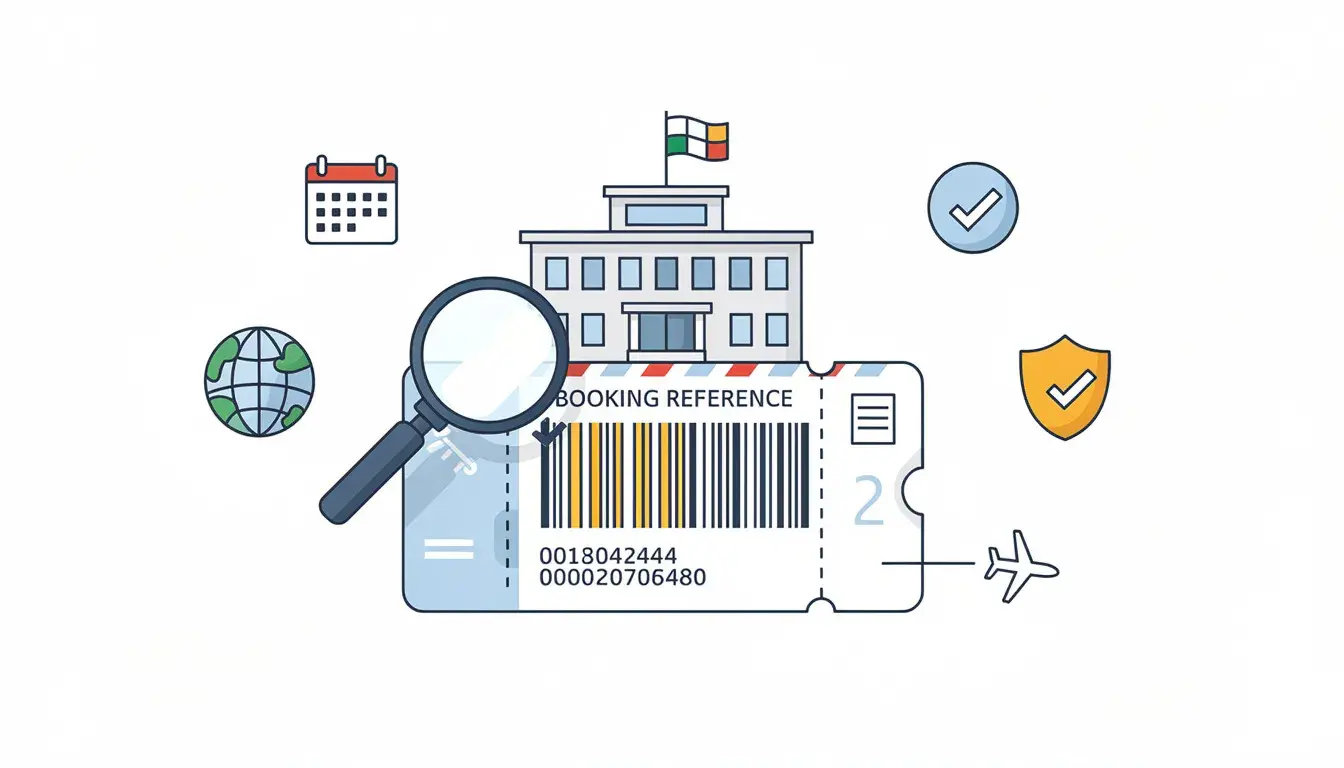
A booking reference number can feel like the most important line on a flight itinerary. In reality, it is one verification point inside a larger document story. A reviewer, visa centre, airline staff member or border officer may look at different parts of the same reservation: the passenger name, travel dates, route, booking status, hotel match, insurance period and whether the trip makes sense.
This guide explains what a PNR check can confirm, why booking-reference lookups fail, how visa-document checks usually work, and how to build a flight reservation that remains easier to explain if someone asks about the reference number.
In This Guide
For the wider planning framework, use the flight reservation for visa complete guide. This page is narrower: it focuses on the booking reference number, PNR lookup, retrieval failure and correction workflow.
What A Booking Reference Or PNR Check Really Confirms
A PNR check is a test of whether a reservation record can be associated with the passenger and itinerary details shown on the document. It may confirm passenger identity, route, travel dates, flight segments and reservation status while the record is active. It does not prove that the applicant qualifies for a visa, and it does not always prove that a paid e-ticket has been issued.
That distinction matters because many applicants use “booking reference,” “PNR” and “ticket number” as if they are the same thing. They are not. A PNR can identify a reservation. An e-ticket number usually points to ticket issuance. An agency reference may identify a booking inside the agency’s own system rather than public airline tools.
| Identifier | What it usually means | What it does not prove by itself |
|---|---|---|
| Booking reference / PNR | Reservation record or booking locator while active | Visa eligibility or paid-ticket issuance |
| E-ticket number | Ticketed record issued after payment or ticketing | That the visa file is otherwise complete |
| Agency reference | Seller or provider record number | That the airline website must retrieve it publicly |
| PDF itinerary number | Document or order reference | That a live airline PNR exists |
Citation-ready answer: A booking reference number can support a visa flight reservation when it identifies a real reservation record and the passenger name, route and dates match the application. It should not be treated as an e-ticket number unless a ticket has actually been issued, and it cannot replace the broader checks of purpose, funds, accommodation and return logic.
The Fields That Must Match For A Clean PNR Lookup

Most failed booking-reference checks are not caused by a secret rule. They happen because the lookup details do not match the record, the record expired, or the reference belongs to a channel that the public airline page does not display.
Surname And Name Format
Many airline lookup tools ask for booking reference plus surname. Hyphens, spaces, compound surnames and different surname order can break retrieval. Try the surname exactly as it appears in the booking record, not the version you type casually. For multiple given names, check whether the reservation compressed names into one string.
Date And Route Alignment
A booking reference can exist but still conflict with the PDF. If the airline moved the flight from March 18 to March 19, the live record may retrieve but no longer match the submitted itinerary. If the document says London Gatwick while the record is Heathrow, the route story becomes inconsistent.
Codeshare And Operating Carrier Issues
Codeshares create lookup confusion. The marketing airline may show one flight number while the operating carrier manages the segment. A traveler may search the wrong carrier website and assume the PNR failed. Check the operating carrier, ticketing carrier and agency instructions before declaring the record invalid.
Status Wording
Status is as important as retrieval. A record may be on request, held, ticketed, cancelled or pending. A reservation-only document should not present itself as a paid ticket. If your cover letter says you will buy the final ticket after the decision, the flight document should not imply a completed paid ticket unless that is true.
Status Codes And Reservation States That Change The Meaning
A booking reference can retrieve and still leave questions if the status is unclear. The status tells you whether the itinerary is held, requested, confirmed, cancelled, ticketed or changed. Applicants often focus only on whether the page opens, but the status line can be just as important as the lookup itself.
Held Or Reserved
A held or reserved status can be suitable when the checklist asks for a reservation or itinerary. The document should not claim that the passenger has already bought the final ticket unless a ticket has been issued. If the file narrative says you will purchase after the decision, held/reserved wording may fit better than pretending payment is complete.
Pending Or On Request
Pending or on-request wording needs caution. It may mean the booking is not fully confirmed by the airline or provider. If the rest of the application depends heavily on this reservation, ask for clearer status or a fresh document before submission.
Cancelled Or Expired
A cancelled or expired record is weak if submitted as current flight evidence. Even if the PDF still displays the intended travel dates, the record behind it no longer supports a lookup. Refresh the reservation using the same travel window if the dates still work.
Ticketed
Ticketed status is different from reservation status. It usually means the booking has moved into issued-ticket territory. That can be fine if you truly purchased the ticket and the fare rules fit your plan. It can be confusing if your visa file says you are avoiding final purchase until after the decision.
How Visa Offices And Visa Centres May Check Booking References
There is no single global method for checking booking reference numbers. Some document reviews compare dates and names. Some may ask for updated evidence. Some may check the reservation through available tools or request clarification when the itinerary looks inconsistent.
Official-source boundary: The EU Visa Code describes supporting documents for Schengen applications, including accommodation and documents indicating envisaged travel plans. U.S. visa rules and guidance also show that missing, false or incorrect information can affect processing or refusal outcomes. Canada warns that false or altered documents can have serious immigration consequences. These sources support the need for truthful, consistent evidence; they do not prove that every office checks every PNR. See the EU Visa Code, U.S. Department of State visa denials guidance and Canada immigration fraud guidance.
Common Verification Routes
- Document-level comparison of name, route, dates and status.
- Public airline or agency lookup where the reference is retrievable.
- Checklist review at a visa application centre before forwarding documents.
- Request for updated travel plans when the file is unclear.
- Airport or border questioning after approval if travel evidence changed.
Visa Centre Vs Decision Authority
A visa centre may collect, scan or check documents against a list, but the government authority decides the application. Do not assume that intake silence means the PNR is perfect. Also do not assume that a failed public lookup automatically means refusal. The correct response is to understand the failure type and repair the evidence if needed.
When A Closer Booking Reference Check Is More Likely
A closer check becomes more likely when the flight reservation raises a question that the rest of the file does not answer. The booking reference is rarely the only issue. It is usually part of a pattern.
Trigger Radar
- Flight dates do not match the application form.
- Hotel or insurance dates do not cover the flight window.
- Route does not support the stated destination or consulate choice.
- Trip length looks too long for leave, funds or purpose.
- The PDF claims ticketed status but no ticket number is shown.
- The reference looks like an internal code but is presented as airline PNR.
- Multiple reservations with different dates appear in the file.
- The booking was refreshed after submission without matching hotel updates.
Country And Consulate Differences
Different countries and visa categories weigh flight evidence differently. Schengen short-stay files often compare flight dates with hotel and insurance. UK visitor files may place more weight on purpose, funds and ties. Japan and Korea files often reward clean itinerary dates. The reference number should therefore fit the document logic of the specific application, not a generic online rule.
Gulf Hub And Codeshare Routes
For routes through Doha, Dubai, Abu Dhabi, Istanbul or other hubs, check whether the booking is controlled by the marketing airline, operating airline or travel agency. A Gulf hub connection can be perfectly normal, but the PNR lookup may require the correct carrier site and surname format.
Realistic Verification Scenarios
The same booking reference can be treated differently depending on where the question appears. A visa centre intake check, consular review, airline check-in question and border conversation are not the same moment.
At Visa Centre Intake
Intake staff may check whether the itinerary is present, readable and aligned with the document checklist. They may not perform a deep PNR lookup. Still, an obvious mismatch in name, dates or route can be noticed quickly.
During Government Review
The government reviewer may compare the reservation with the purpose of travel, funds, ties, accommodation and application answers. A PNR that retrieves cleanly helps only if the surrounding evidence also makes sense.
At Airline Check-In
After visa approval, airline staff care about boarding and destination entry rules. They may ask about onward or return travel, accommodation or visa validity. Carry the final travel version, not an outdated reservation from the application stage.
At The Border
Border officers may ask practical questions: where you are staying, how long you plan to remain and when you leave. Your answers should match your current itinerary. If the flight changed after visa issuance, carry updated proof inside the visa validity and stay limits.
Build A Check-Friendly Flight Reservation Without Buying The Wrong Ticket

A check-friendly reservation is not the most expensive one. It is the one that can be explained quickly and matches the rest of the application. You want a reviewer to understand the travel plan without chasing contradictions.
The PNR Health Checklist
- Passenger name matches passport and visa form.
- Booking reference or source is clear.
- Route matches the destination and visa purpose.
- Dates match application, hotels, insurance and invitation.
- Reservation status is not overstated as paid ticketing.
- Operating carrier and marketing carrier are not confused.
- No old reservation version remains in the packet.
- Reference retrieval was tested, if the channel supports public lookup.
How Strong Does The Reservation Need To Be?
| Applicant situation | Reservation strength needed | Main risk to control |
|---|---|---|
| Simple tourism | Clear return route and matching hotel dates | Date gaps or overlong stay |
| Business visit | Arrival and return tied to event timing | Trip dates exceeding meeting purpose |
| Student or long-stay | Arrival aligned with start date or reporting date | Using short-visit return logic when not appropriate |
| Multi-country trip | Route, hotels and internal movement align | Main destination confusion |
| Family group | Coordinated dates and passenger details | One traveler’s record showing different dates |
Before You Upload
Run the lookup like a stranger would if the booking channel supports it: booking reference plus surname, correct airline or agency channel, current dates and the same spelling used in the reservation. If you cannot retrieve or explain it in a minute, fix the problem before submission.
For the general rules on what a flight itinerary should contain, read the flight reservation for visa guide. It explains the document fields before this PNR-specific troubleshooting layer.
Need a corrected or refreshed flight reservation for a visa file?
If Your PNR Gets Checked And Fails, Identify The Failure Type

A failed lookup is not one single problem. The fix depends on the cause. Do not panic, manually edit the PDF, or create three new reservations. Diagnose first.
Failure Type Matrix
| Failure type | Likely cause | Best fix |
|---|---|---|
| Not found | Expired record, wrong airline, wrong surname, agency reference | Check channel, spelling and record status; refresh if expired |
| Name mismatch | Passport name and booking name differ | Correct through provider; do not edit PDF manually |
| Date mismatch | Schedule change or old draft used | Update reservation and affected hotel/insurance dates |
| Status mismatch | PDF implies ticketed but record is only held | Use clearer reservation wording or ticketed proof if required |
| Route mismatch | Codeshare, airport confusion or changed itinerary | Clarify operating carrier and route; replace if story changed |
The 24-Hour Rescue Plan
- Save the current reservation and note the exact issue.
- Check surname format, airline site, agency portal and operating carrier.
- Ask the provider for corrected wording or refreshed reservation if needed.
- Compare the corrected record with form, hotel, insurance and invitation dates.
- Replace old drafts in the upload packet.
- If already submitted, use the official update channel only when material or requested.
Clear Micro-Scripts If Asked
If the issue is a schedule change: “The airline changed the flight time after the reservation was created. The updated itinerary keeps the same travel dates and route.”
If the issue is agency control: “The booking was issued through an agency channel, so the agency confirmation is the controlling document. The travel dates and route match the application.”
If the issue is an expired record before submission: “The previous record expired, so I refreshed the reservation using the same travel window and removed the older version.”
When To Stop Optimizing And Buy A Ticket
If the visa decision is issued, travel dates are fixed and the fare rules fit your budget, buying the final ticket may be simpler than repeatedly refreshing reservations. If the checklist specifically requires a paid ticket, follow that requirement. Otherwise, use a reservation until the final purchase is practically sensible.
Last-Minute Appointment And After-Biometrics Cases
Booking reference problems feel most stressful when the appointment is near or biometrics are already done. The response should be controlled rather than dramatic.
Appointment Tomorrow
If your appointment is tomorrow and the PNR fails, first test obvious causes: surname format, correct carrier, agency portal, expired record and date mismatch. If the record is truly expired or wrong, refresh it using the same application travel window and remove the old version from the packet.
Biometrics Already Submitted
If biometrics are already submitted, do not send a new itinerary casually. Check whether the official portal, visa centre or consulate provides an update route. If the change is minor, keep proof ready. If the change is material, use the official channel when available.
Authority Requests Updated Travel Plans
If the authority asks for updated travel plans, respond with the corrected reservation, a short factual explanation and any affected hotel or insurance updates. Do not attach multiple alternative routes. One clean corrected version is better than several competing ones.
Keep The Reference Useful Until The Decision
Booking references can expire, change or move behind an agency system. That is normal. What matters is whether your evidence remains consistent and current enough for the application stage. If processing drags, refresh carefully and preserve the same travel story where possible.
For Schengen files, where flight reservations are often compared with hotels, insurance and main-destination logic, use the Schengen visa flight reservation requirements guide alongside this PNR troubleshooting page.
Citation-ready decision rule: If a booking reference fails lookup before submission, do not submit the document until you know whether the issue is spelling, wrong airline channel, agency reference, expired record, schedule change or false document risk. The fix may be as small as using the correct surname format or as large as refreshing the reservation and updating related hotel or insurance dates.
Final Booking Reference Checklist
- PNR or reference is copied exactly from the reservation document.
- Surname format matches the booking record.
- Passenger name matches passport and application form.
- Route and dates match the PDF and supporting documents.
- Agency references are not mislabeled as issued ticket numbers.
- Status wording matches reservation or ticketed reality.
- Old drafts and expired versions are removed.
- False or manually edited booking references are not used.
A booking reference number can make a flight reservation for visa easier to identify, but it is only one part of verification. The stronger file is the one where the reference, itinerary, hotels, insurance and application dates all tell the same story.
FAQs About Booking Reference Numbers And PNR Checks
Do visa offices check booking reference numbers?
They may check a booking reference directly, but many reviews start by comparing the flight reservation with the application form, hotel booking, insurance and travel purpose. A retrievable PNR helps, but consistency still matters.
Is a PNR the same as an e-ticket number?
No. A PNR or booking reference identifies a reservation record. An e-ticket number usually indicates ticket issuance. A reservation can have a PNR without being a fully paid ticket.
What does a PNR check actually confirm?
A PNR check may confirm passenger name, route, travel dates, flight segments and reservation status while the record is active. It does not by itself prove visa eligibility or final ticket purchase.
Why does my booking reference show not found?
Common causes include expired reservation, wrong surname format, codeshare lookup on the wrong airline site, agency-controlled record, schedule change, typo or a booking reference that is not retrievable through public airline tools.
Can an agency reference be different from an airline PNR?
Yes. Some agencies issue internal references or documents that are not the same as a public airline PNR. The document should make the source and status clear instead of presenting an internal code as an issued ticket number.
Should I submit a flight reservation if the PNR cannot be retrieved?
Be careful. First identify why retrieval fails. If the record expired or details are wrong, refresh or correct the reservation before submission. If it is agency-controlled, keep clear provider documentation.
Do all flight reservations remain verifiable until the visa decision?
No. Reservation visibility depends on the airline, booking channel, fare rules and how the record was created. Time the reservation around submission and refresh it if the travel window changes.
What details must match for a clean PNR lookup?
The booking reference, surname, passenger name, route, travel dates, airline or operating carrier and flight details should match the reservation document and supporting visa evidence.
What should I do if my PNR fails after submitting the visa application?
Keep the old document, obtain a corrected or refreshed reservation, update affected hotel or insurance dates if needed, and use the official update channel only when the change is material or requested.
Can a fake booking reference cause visa problems?
Yes. False or altered documents can create serious credibility and legal problems. Use accurate reservation evidence and never manually invent or edit booking references.
Important disclaimer: This article is general travel-document guidance, not legal advice and cannot predict any visa outcome. Booking-reference visibility, PNR retrieval, airline lookup tools, agency records and visa-document review practices vary by airline, provider, country, visa type and application channel. Always follow the latest official checklist and use truthful documents.
Related posts

Flight Ticket for an Offshore Worker Rotation Visa
02 Oct, 26
Flight Booking for a Short Language Course Visa
02 Oct, 26
Visa Flight Itinerary After Passport Replacement
02 Oct, 26
Visa Reservation for an Archaeological Field Trip
02 Oct, 26
Flight Booking After a Visa Case Changes Consulates
02 Oct, 26
Flight Itinerary While a Consulate Holds Your Passport
02 Oct, 26
Flight Itinerary for Visa for Film Production Crews
02 Oct, 26
Flight Reservation for Visa for Trade Fair Exhibitors
02 Oct, 26
Flight Ticket for Visa: Postdoc Relocation Guide
26 Sep, 26